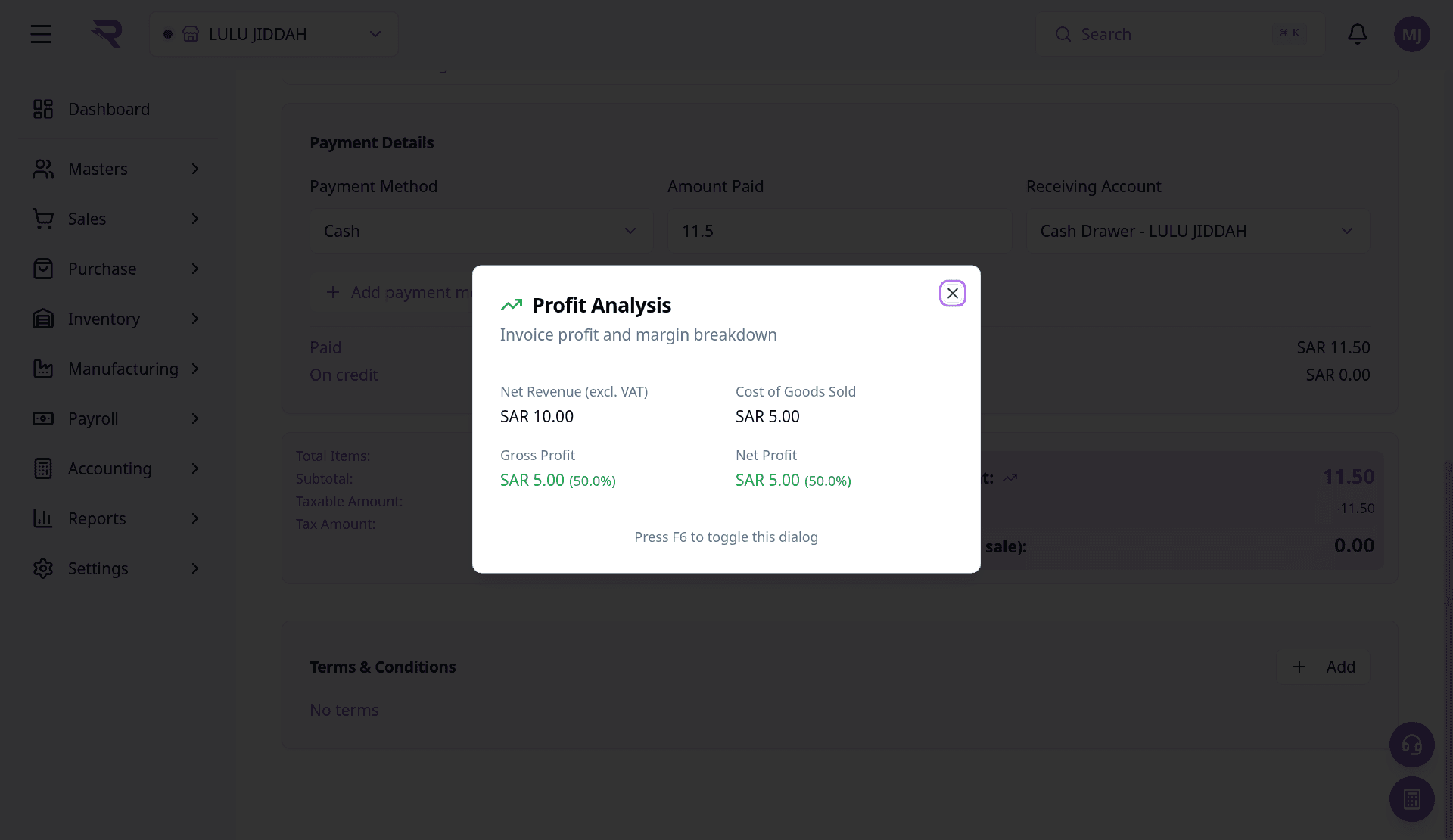
This guide shows you how to view total invoice profit while creating a sales invoice.
Go to: Sales > Sales Invoice
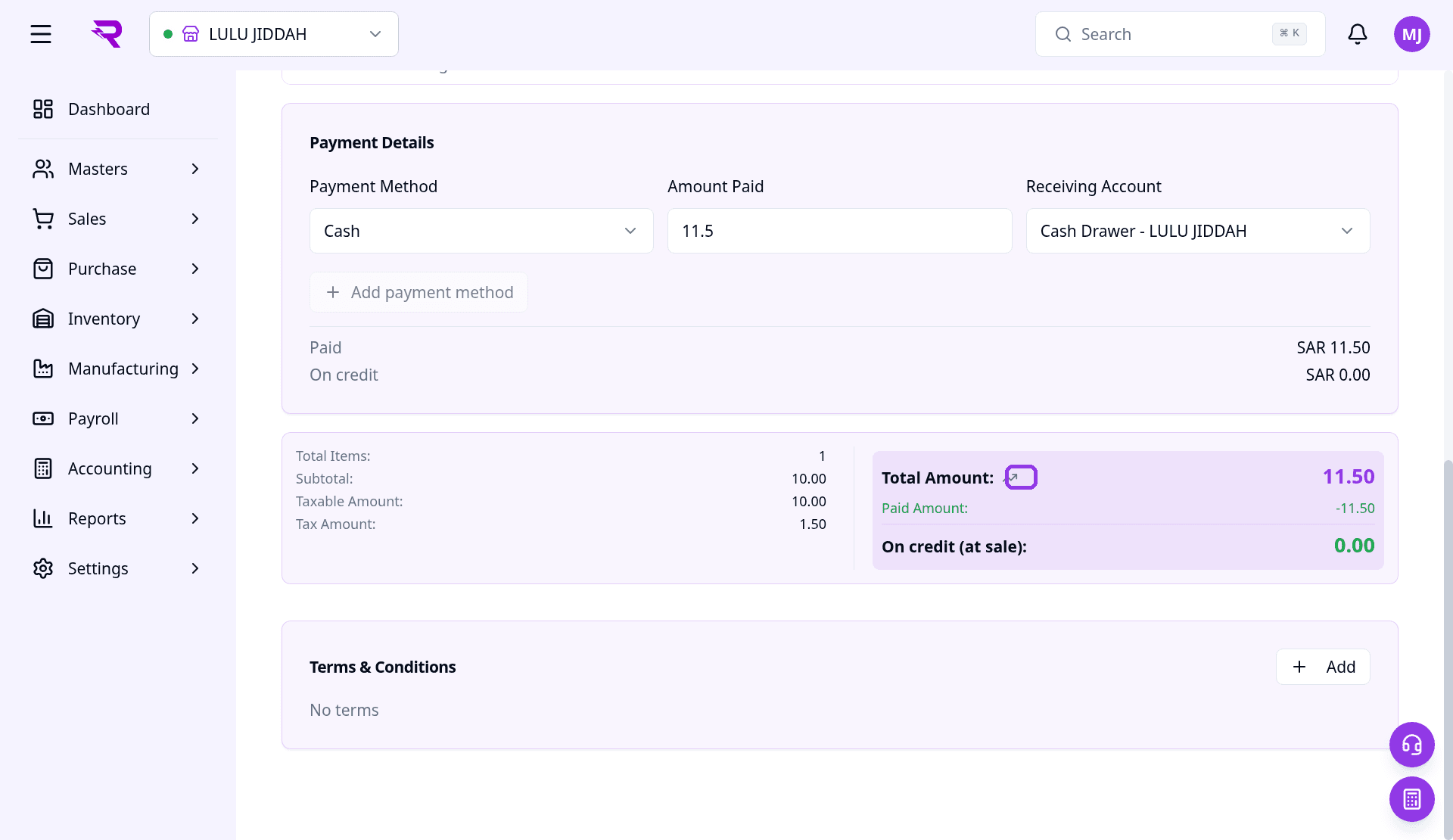
Step 1: Click View profit analysis
Below the totals, click the View profit analysis (F6) icon next to Total Amount.
Step 2: Review the analysis
Profit Analysis shows Net Revenue (excl. VAT), Cost of Goods Sold, Gross Profit, and Net Profit. You can press F6 to toggle the dialog, or click Close.