
This guide shows you how to add terms and conditions to a sales invoice.
Go to: Sales > Sales Invoice
Step 1: Click Add
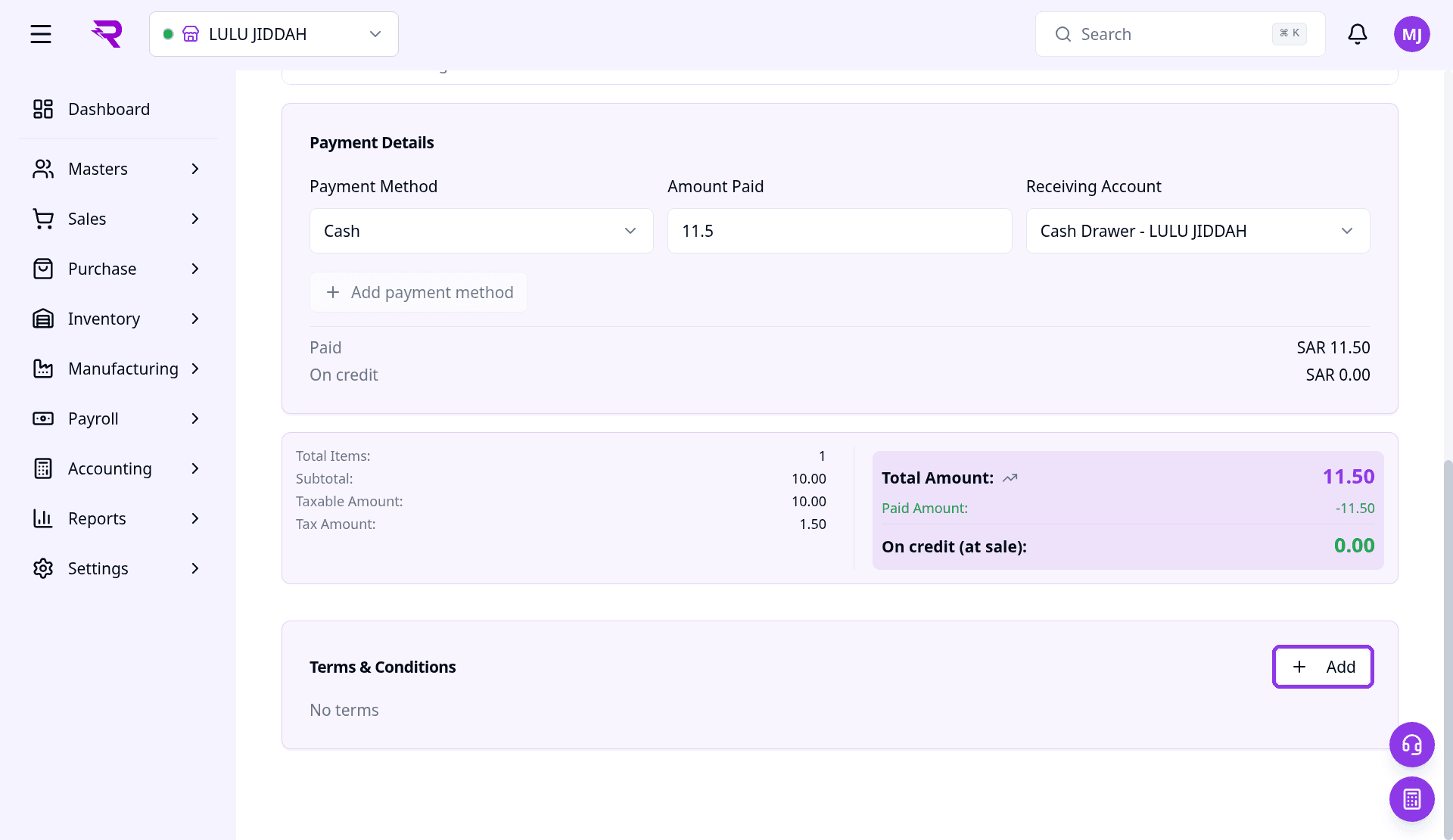
Scroll below the totals to Terms & Conditions, then click Add.
Step 2: Enter the terms
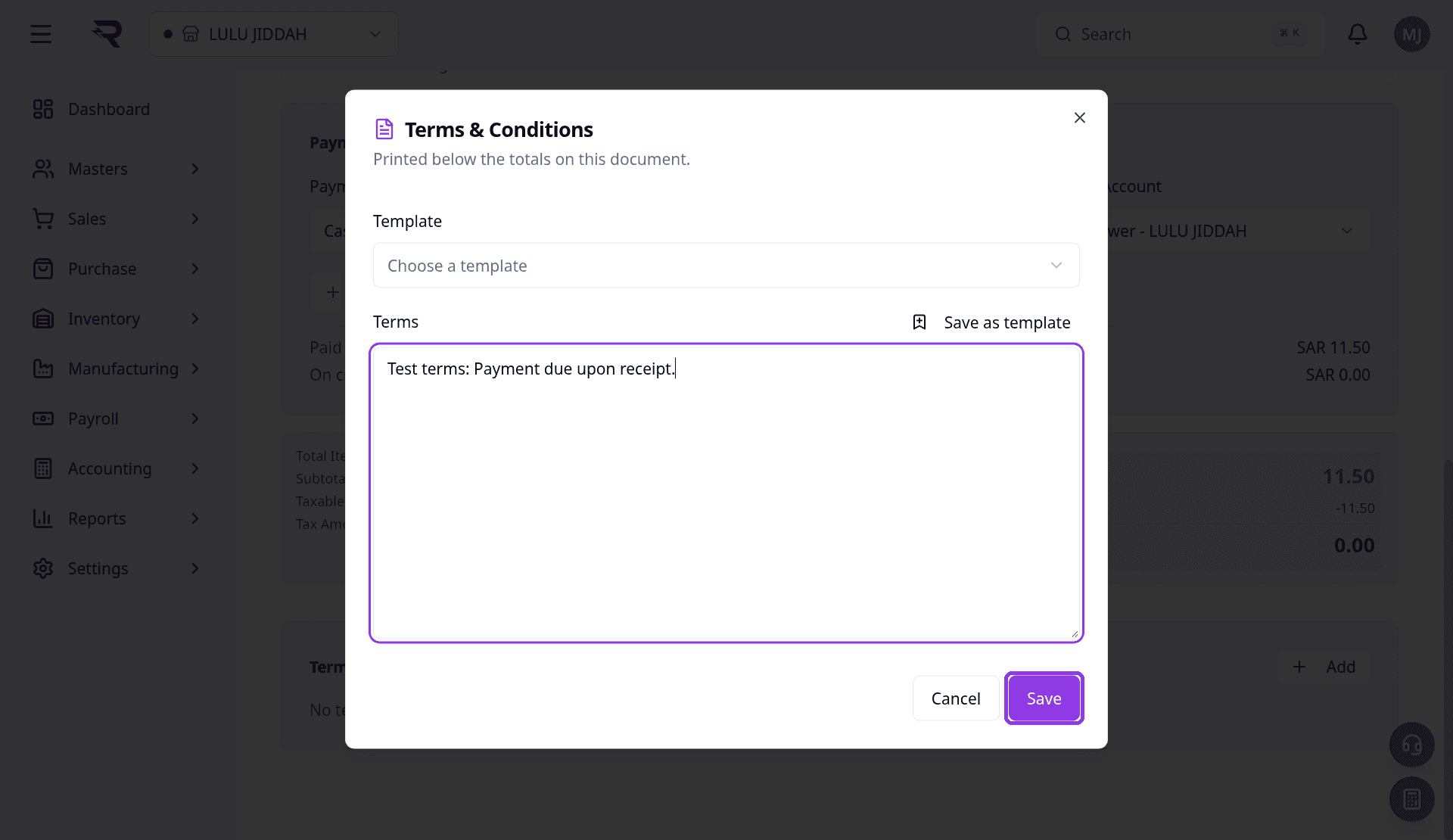
Enter the terms in the Terms field, then click Save.
Step 3: Check the invoice form
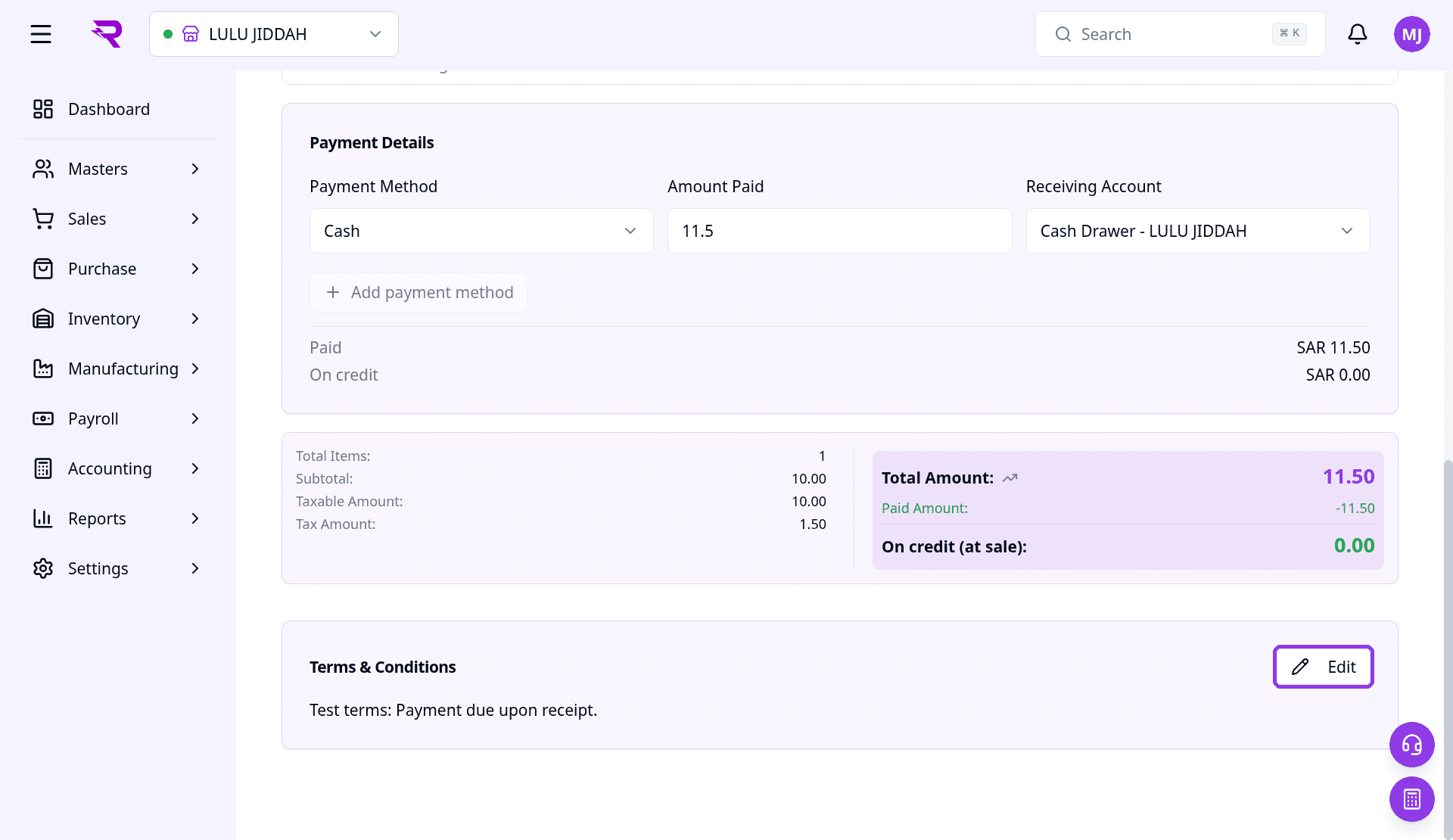
The terms appear in the Terms & Conditions section, and Add changes to Edit.
Important Notes
- The dialog’s Save applies the text to the current form. Saving or printing the invoice itself was not verified.
- A Template option is available but was not tested.