This guide shows you how to find a posted Sales Invoice from the list, and how to open a draft or a posted invoice from Search Invoice.
Go to: Sales > Sales Invoice
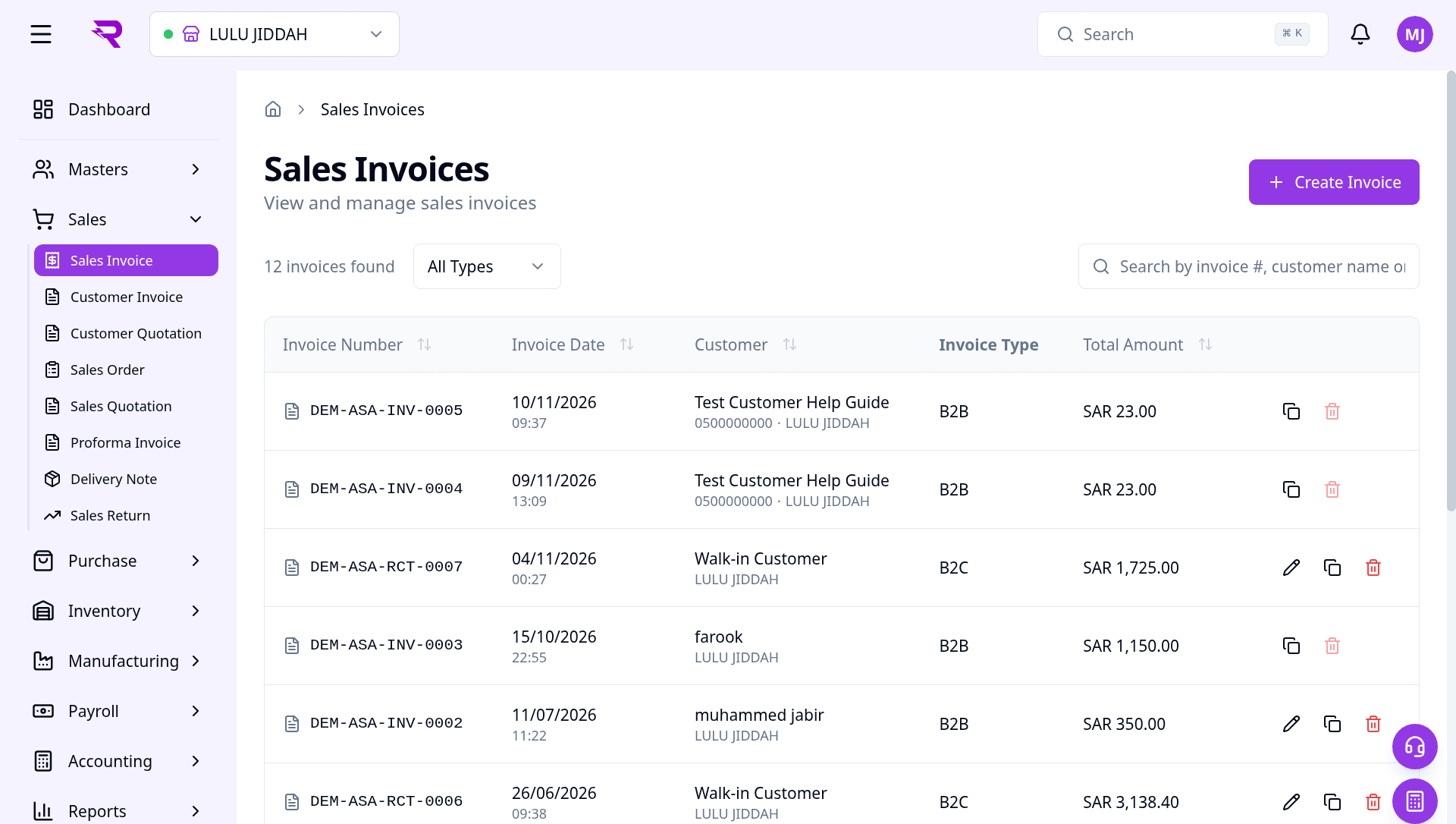
Step 1: Use the Sales Invoices list
The Sales Invoices list shows posted invoices. You can filter by type (All Types, B2B, B2C, or Dummy) and search by invoice number, customer, or other text on the list.
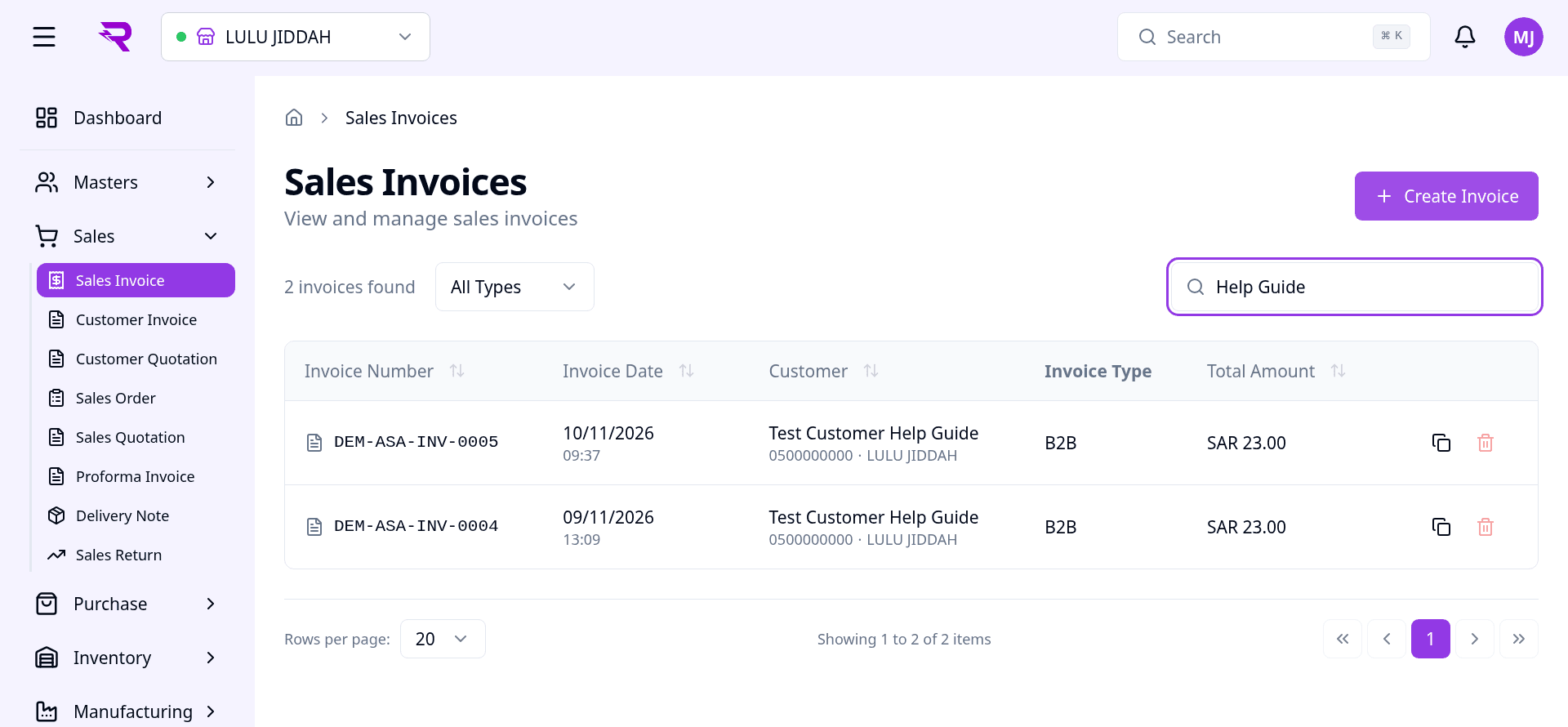
Step 2: Search the list
Type in the search box to narrow the posted invoices. Matched rows stay on the list.
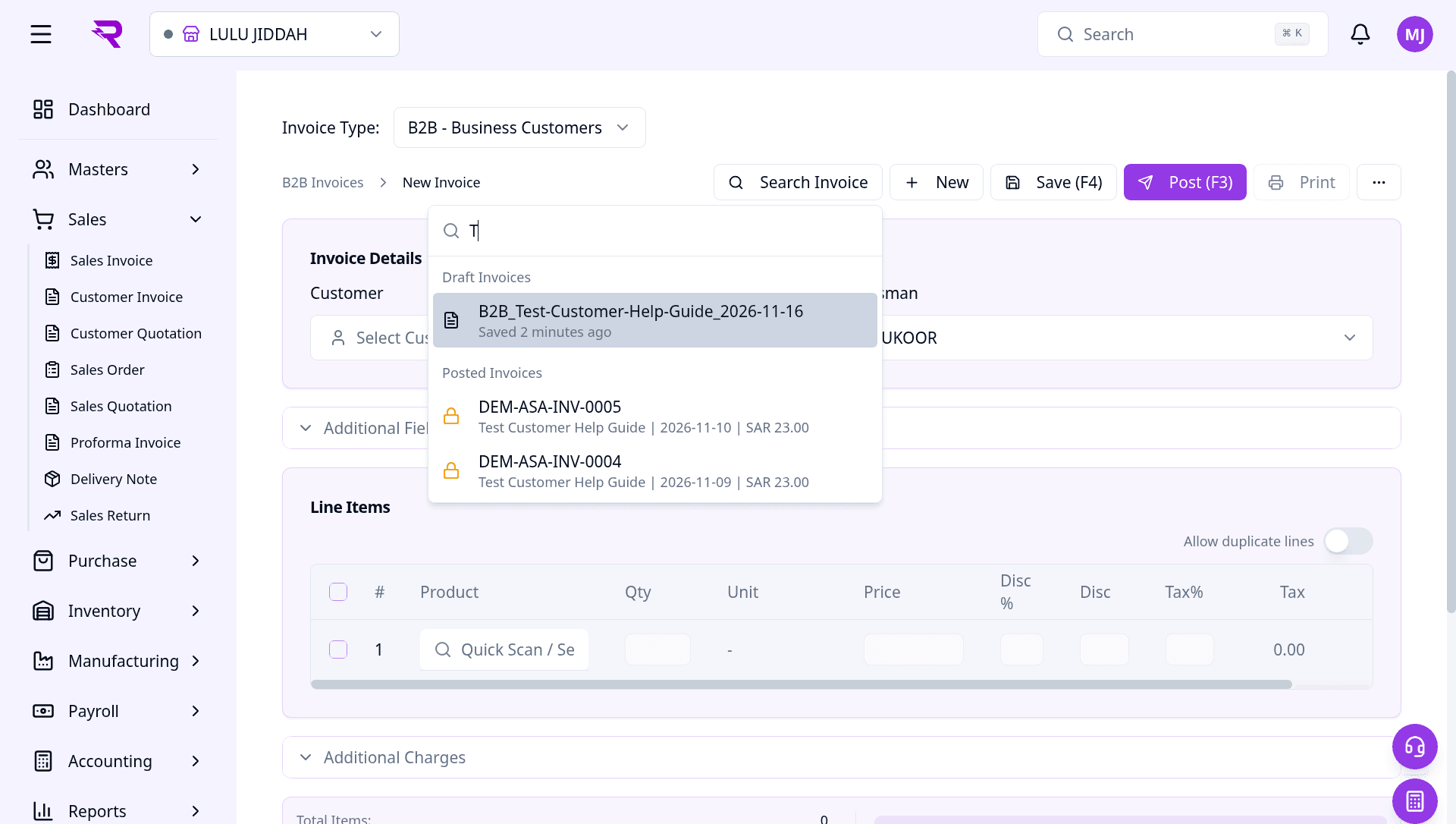
Step 3: Open Search Invoice for drafts and posted invoices
Click Search Invoice. The dialog groups Draft Invoices and Posted Invoices, so you can open a draft that is not on the main list, or jump to a posted invoice.