
Skip to content
UAE e-invoicing becomes mandatory in 2027.UAE e-invoicing starts in 2027. Get ready with Raad
Raad ERP
Help Center
  • Supermarkets
  • Trading
  • Grocery
  • Van sales
  • Manufacturing
  • Contracting
BlogContact
Englishالعربية
Raad ERPRaad CMSRaad POS
Raad ERP
Englishالعربية
Help Center
SupermarketsTradingGroceryVan salesManufacturingContracting
BlogContact

Ask our team on WhatsApp
  1. All categories
  2. Sales
  3. Sending a Sales Invoice on WhatsApp

Sending a Sales Invoice on WhatsApp

Last updated Nov 16, 2026

This guide shows you how to open the WhatsApp send dialog from a Sales Invoice.

Go to: Sales > Sales Invoice

Step 1: Open Send to WhatsApp

Open the invoice, click More (the … menu), then click Send to WhatsApp.

Step 2: Check the number and send

A dialog asks for a WhatsApp number. It may already be filled with the customer's mobile number. Change it if needed, then click Send.
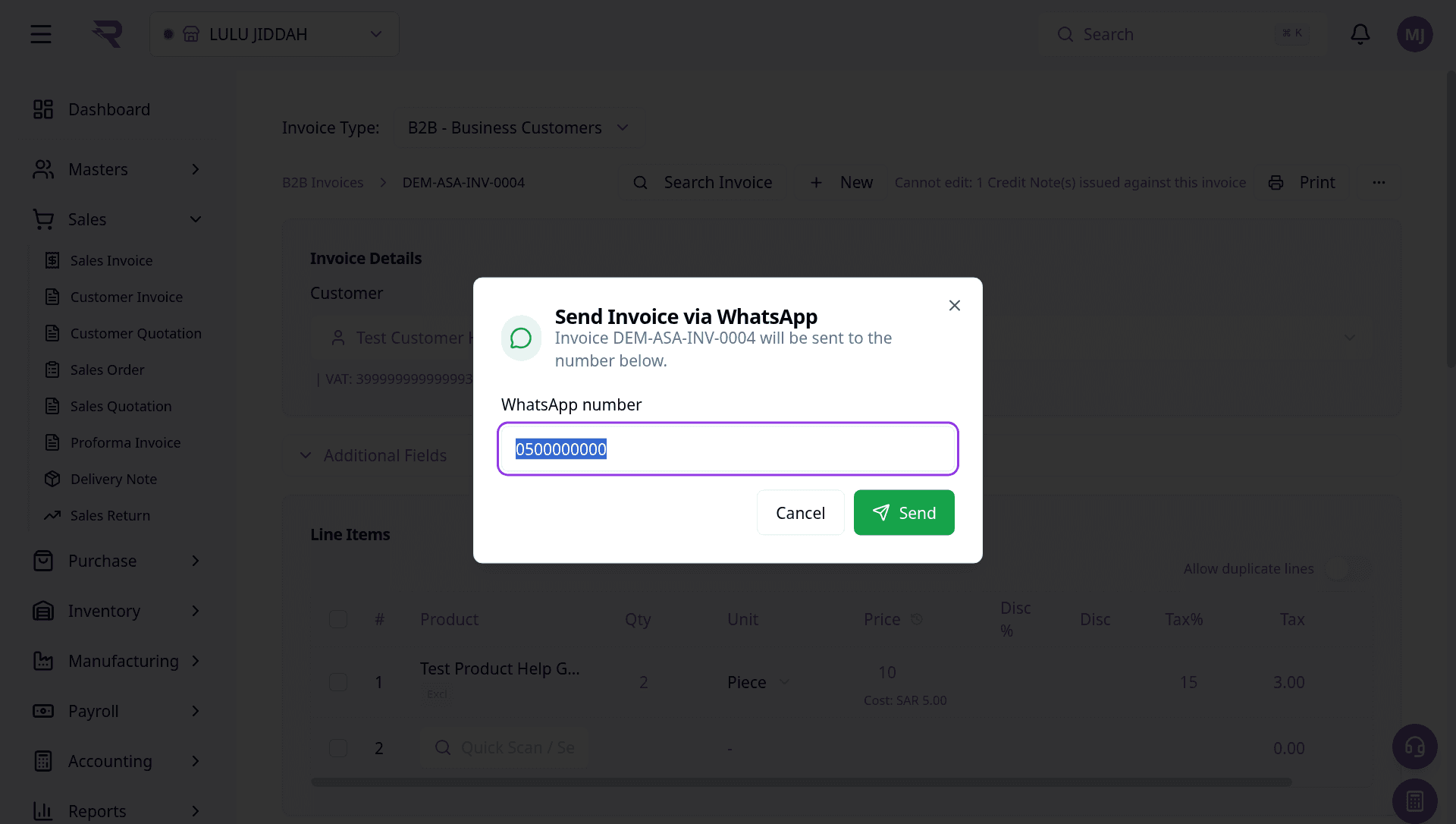
The Send to WhatsApp dialog with a WhatsApp number field, and Cancel and Send buttons.
Was this article helpful?

Still need help?

Ask our team on WhatsApp

Related articles

  • Creating a Customer Quotation
  • Finding a Draft or Posted Sales Invoice
  • Correcting a Posted Sales Invoice

Sales

  • Creating a Sales Invoice
  • Creating a Sales Quotation
  • Processing a Sales Return
  • Creating a Proforma Invoice
  • Creating a Sales Order
  • Converting a Sales Quotation into an Invoice
  • Creating a Credit Note for a Sales Invoice
  • Viewing Product Sales History While Creating a Sales Invoice
  • Viewing Line-Wise Profit in a Sales Invoice
  • Viewing Total Invoice Profit While Creating a Sales Invoice
  • Adding Terms and Conditions to an Invoice
  • Creating a Delivery Note
  • Creating a Customer Invoice
  • Printing a Sales Invoice
  • Sending a Sales Invoice on WhatsApp
  • Creating a Customer Quotation
  • Finding a Draft or Posted Sales Invoice
  • Correcting a Posted Sales Invoice
  • Converting a Sales Order into an Invoice
  • Saving Terms and Conditions as a Template

Talk to Our Experts and See Raad ERP in Action

Get Started with Raad ERP Today

Get It On Google PlayDownload on the App Store

RAAD Technologies LLC (2644116.01)
Sharjah Media City, Sharjah UAE

Follow us on:

FacebookInstagram

2026 © Raad ERP. All rights reserved.

Products

  • Raad ERP
  • Raad CMS
  • Raad POS

Industries

  • Supermarkets
  • Trading
  • Grocery
  • Van sales
  • Manufacturing
  • Contracting

Company

  • Pricing
  • Contact us
  • Authorized resellers
  • UAE e-invoicing 2027
  • Help Center
  • Privacy Policy
  • Terms & Conditions
Chat with our experts