
This guide shows you how to view a product’s price history while creating a sales invoice.
Go to: Sales > Sales Invoice
Step 1: Add a product line
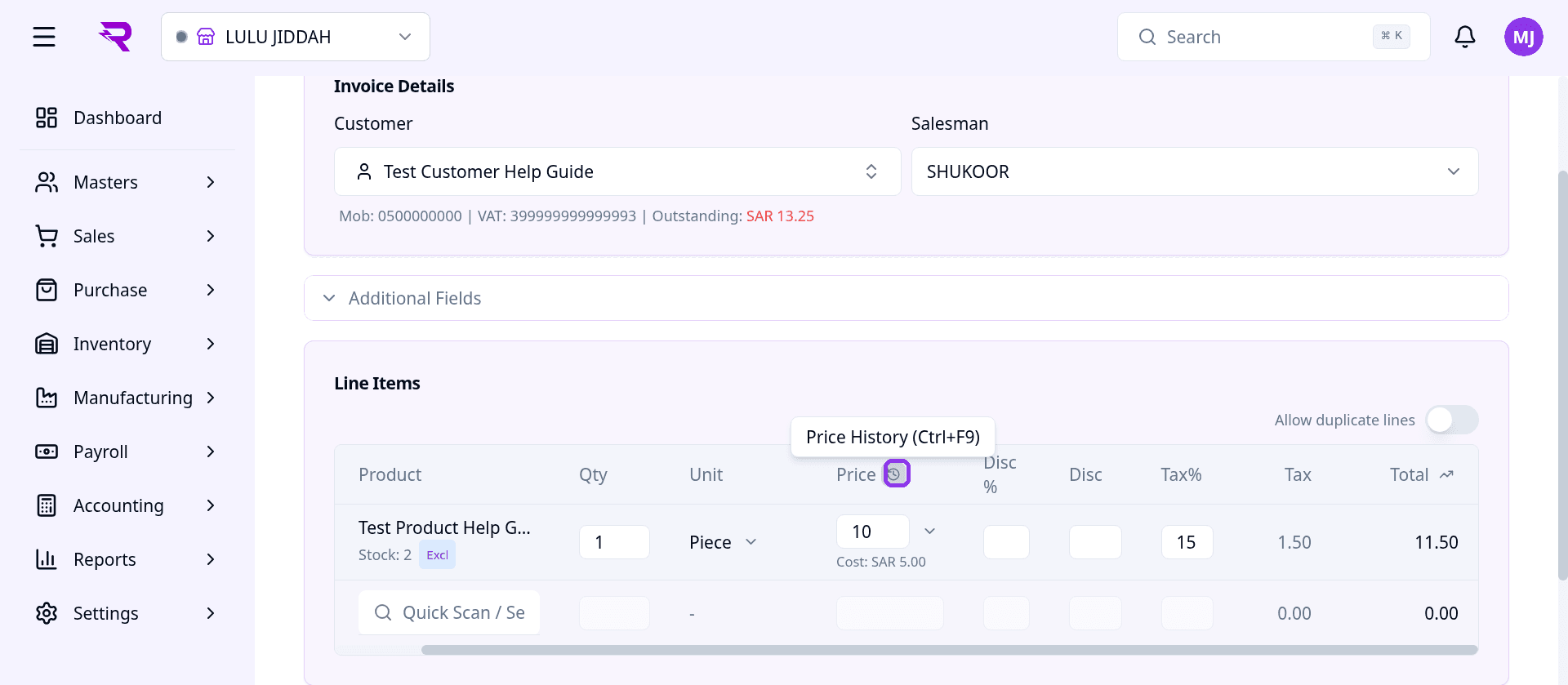
Add a product to the invoice. The Price History icon appears beside the Price column after a product line is added.
Step 2: Click Price History
In Line Items, click the Price History (Ctrl+F9) icon beside the Price column. You may need to scroll the table horizontally.
Step 3: Review the history
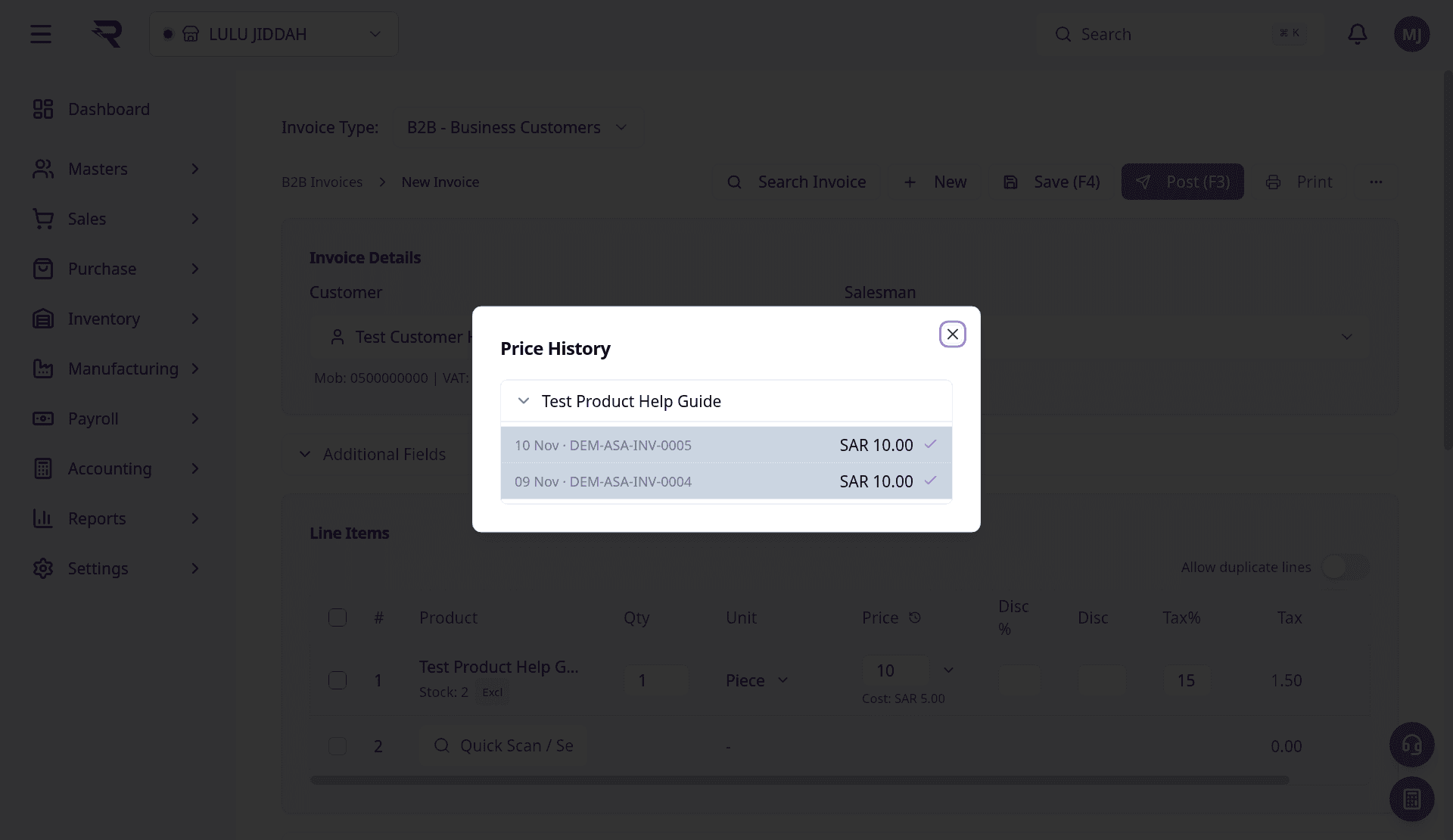
The Price History dialog lists previous invoices for the product, with the date, invoice number, and price.
Important Notes
- The Price History icon appears after a product is added to the invoice.
- The dialog also has Close.