
This guide shows when you can update a posted Sales Invoice, and when you cannot because a credit note or debit note has been issued.
Go to: Sales > Sales Invoice
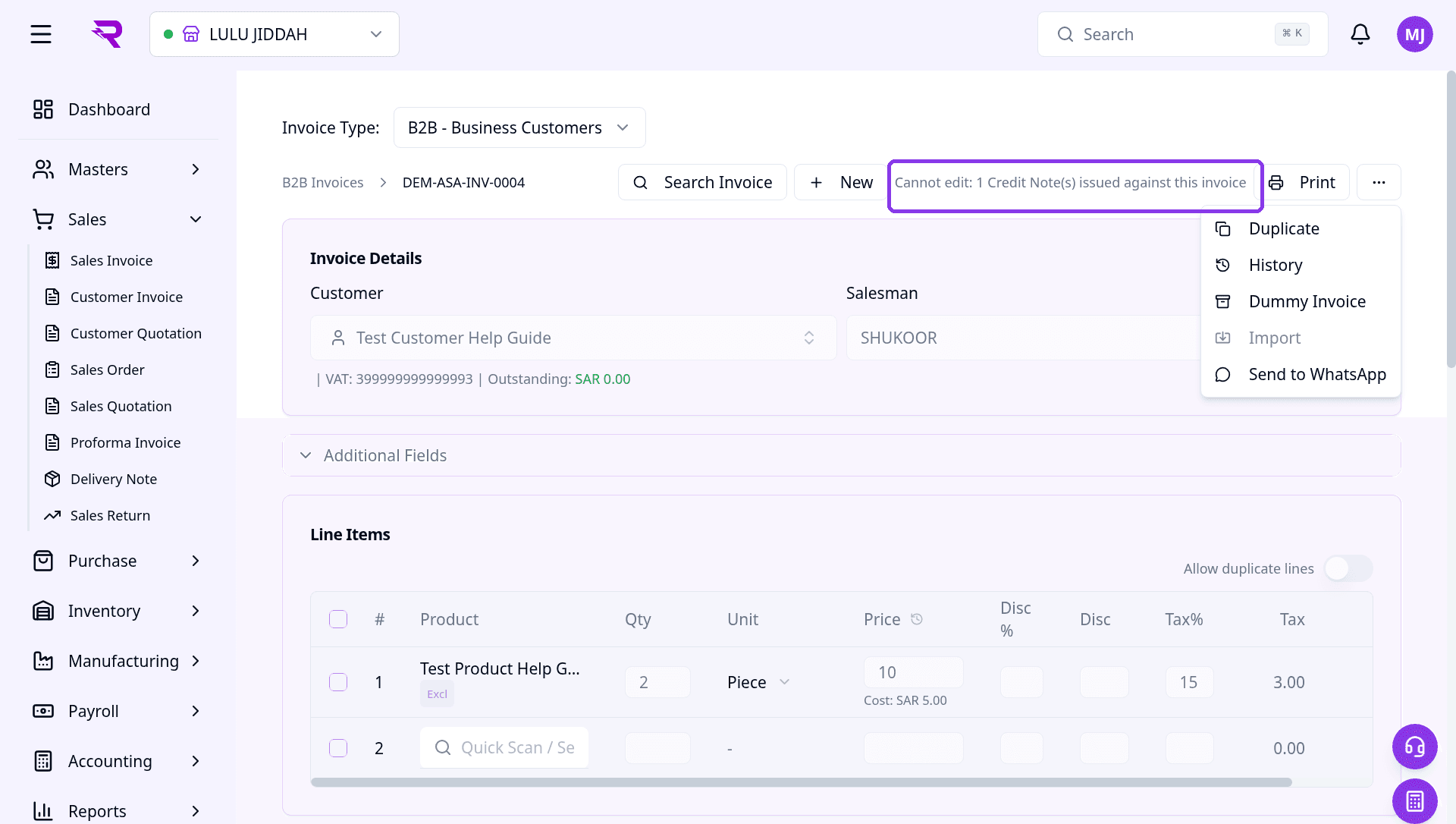
Step 1: Check whether the invoice can be edited
Open the posted invoice. If a credit note or a debit note has been issued against it, the toolbar shows Cannot edit instead of Update Invoice, with the number of notes.
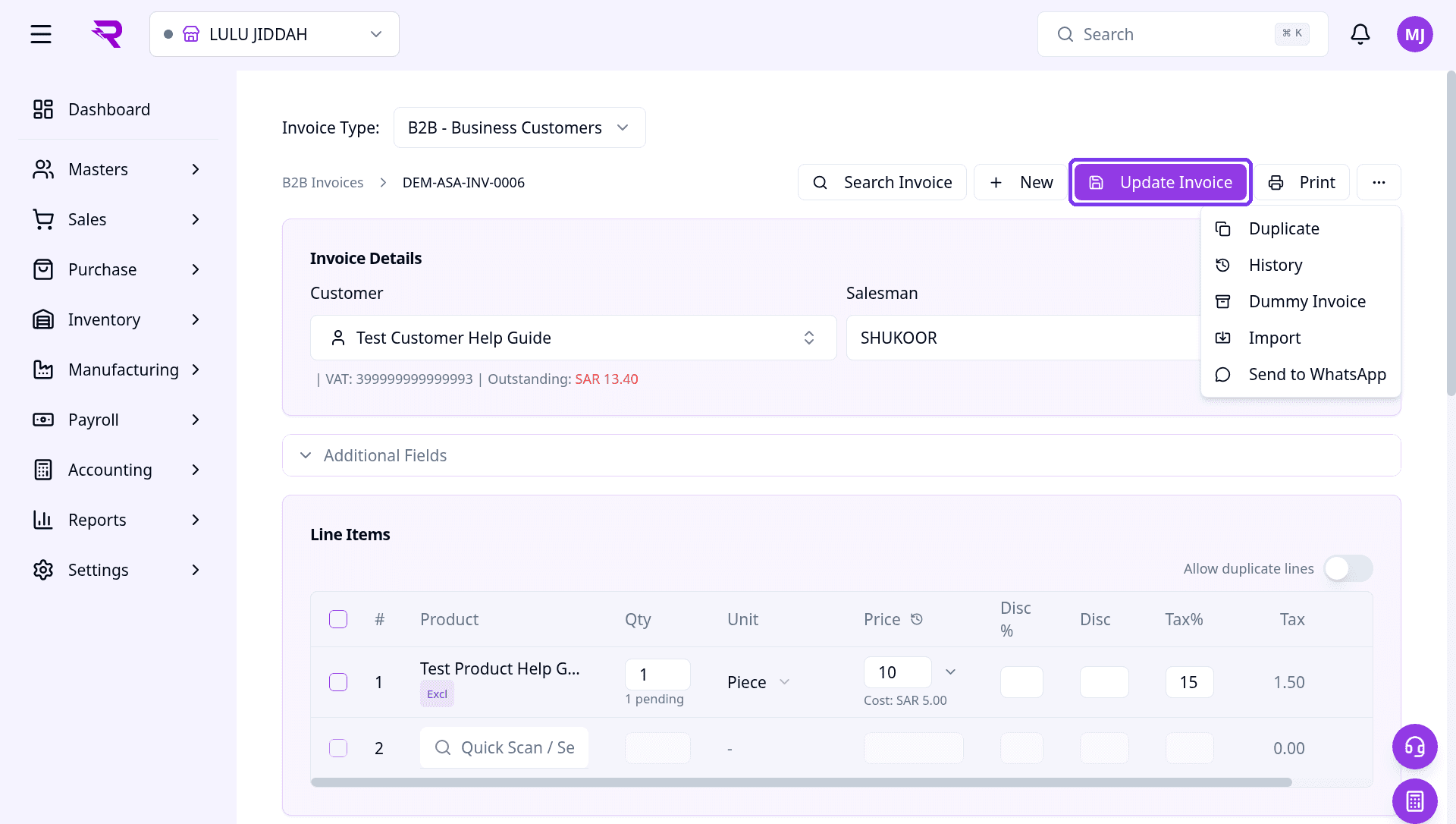
Step 2: Update the invoice when it is available
If no credit or debit note has been issued, click Update Invoice to change the posted invoice.
Important Notes
- There is no Void or Cancel action on a posted invoice.
- To take goods back or reduce the amount, use Processing a Sales Return and Creating a Credit Note for a Sales Invoice.