
Link a customer to a vendor when the same business both buys from you and supplies you, so the two records are connected.
Go to: Masters > Customers
Step 1: Find the customer
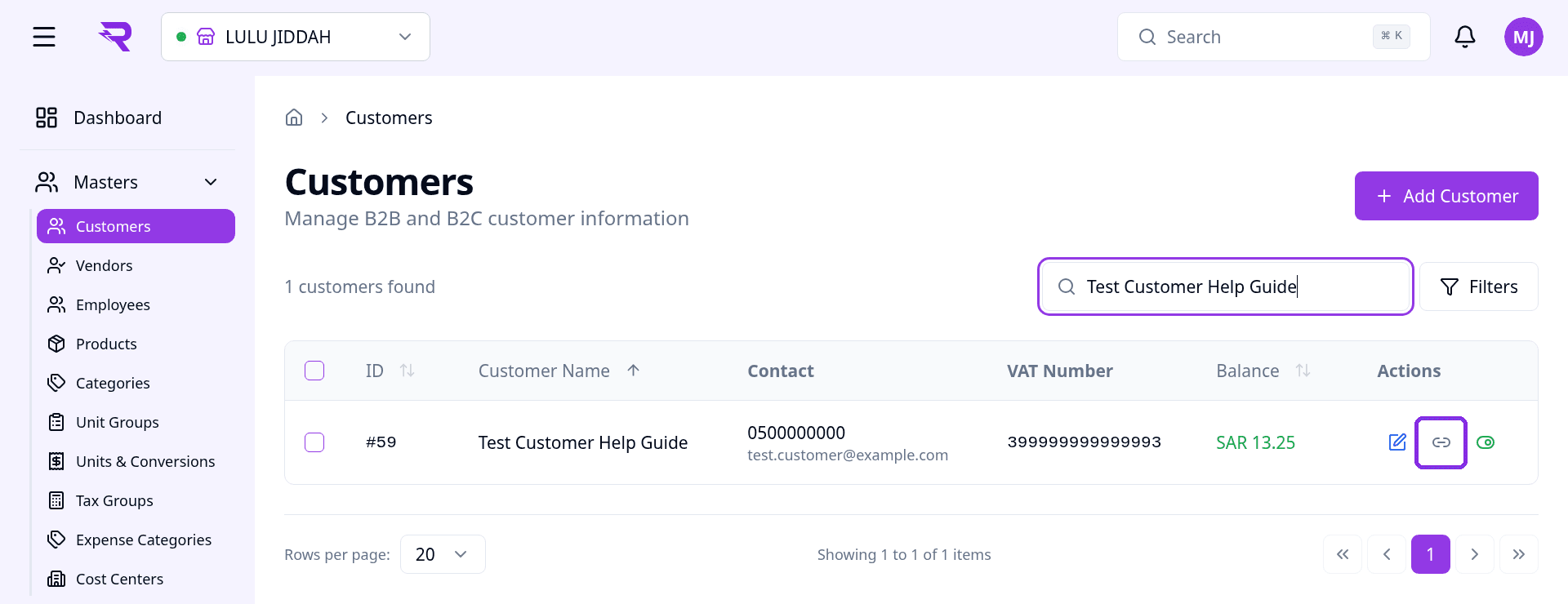
Search for the customer, then click the chain icon (Link as supplier) in the Actions column.
Step 2: Select the vendor and click Link
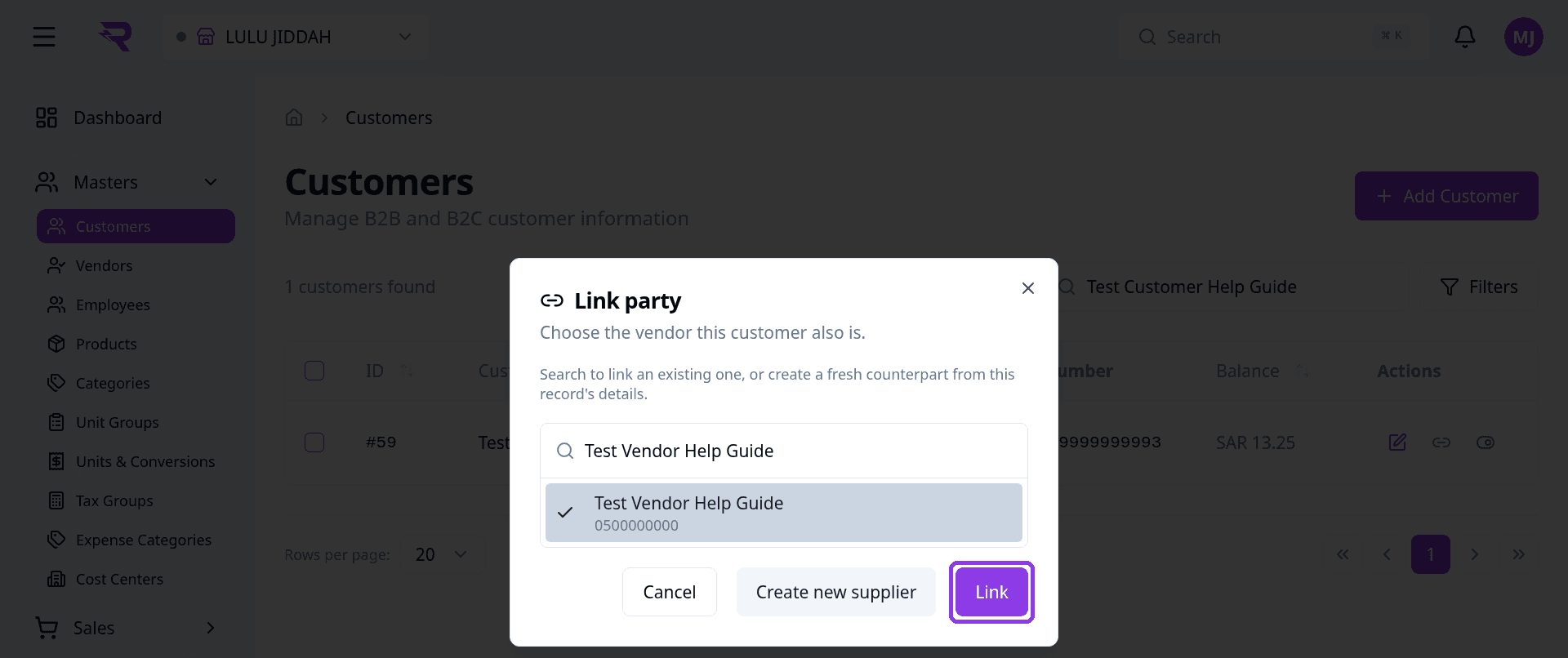
In the Link party dialog, search for the vendor in Search vendors... and select it. Click Link.
If the supplier does not exist yet, you can use Create new supplier instead.
Step 3: Check the link
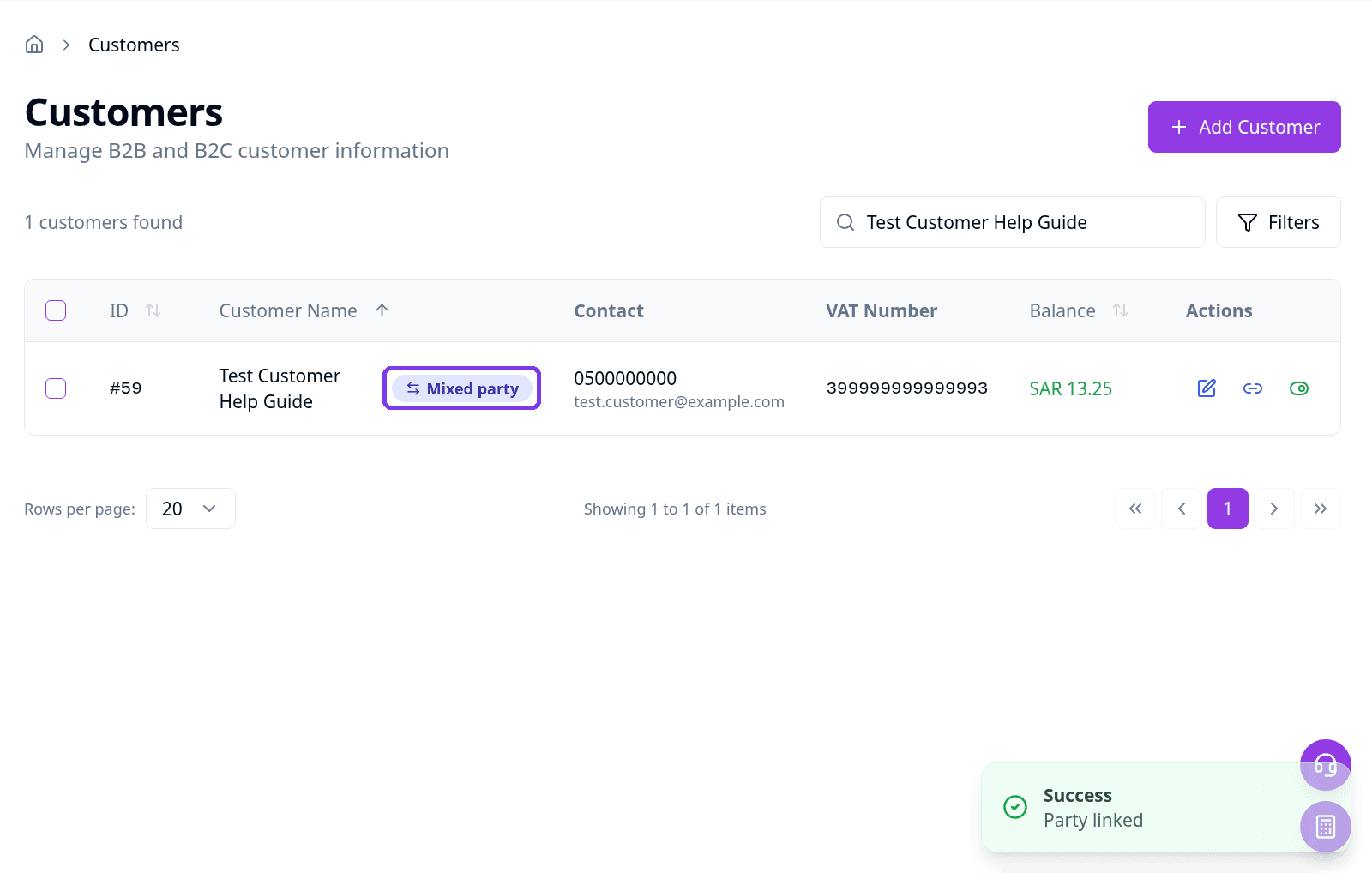
A Party linked message appears. The customer now shows a Mixed party badge, and its action changes to Manage link.
Step 4: View the link from either record
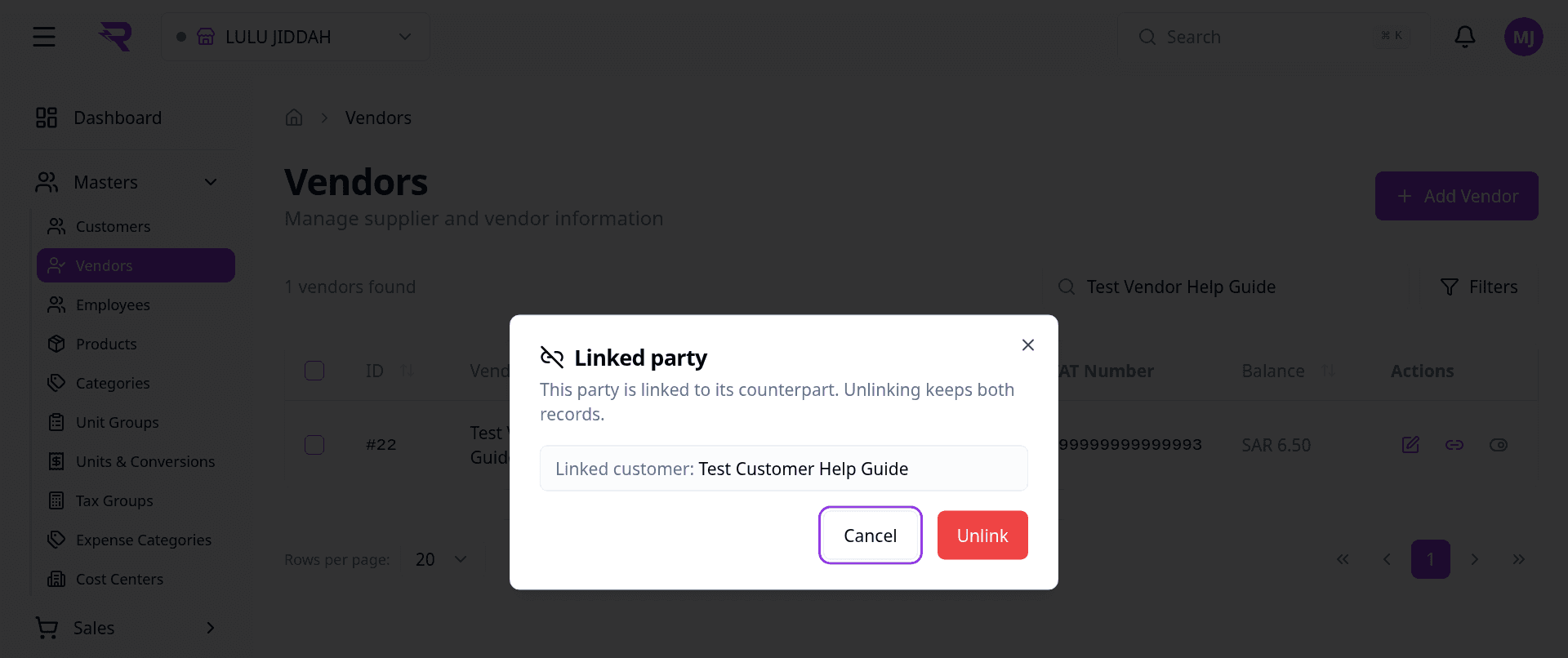
The link is shown on both records. Click Manage link on the customer or the vendor, or open Edit and see the Mixed Party section.
Important Notes
- Link stays disabled until you select an existing vendor.
- No separate save is needed after you click Link.