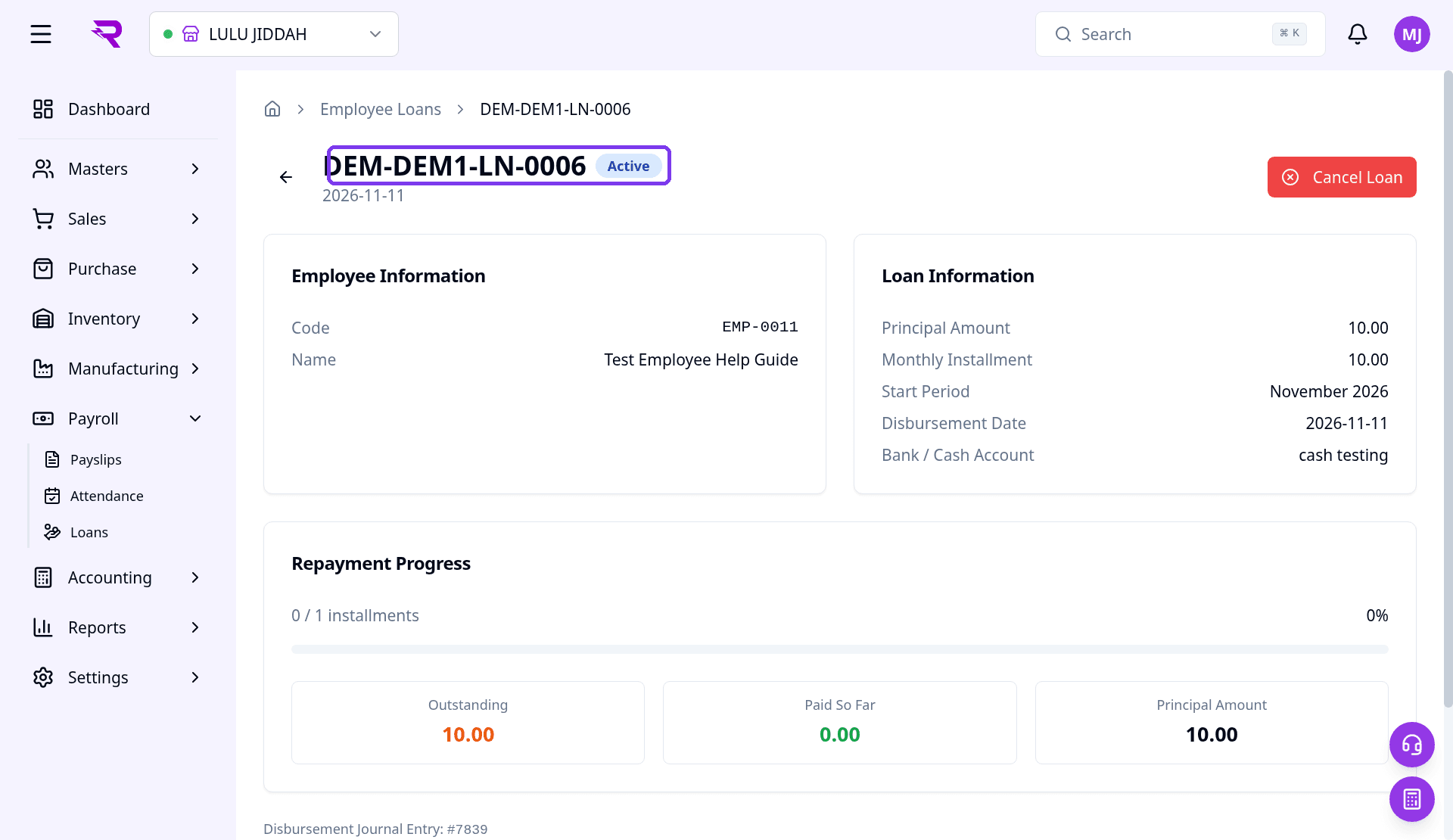
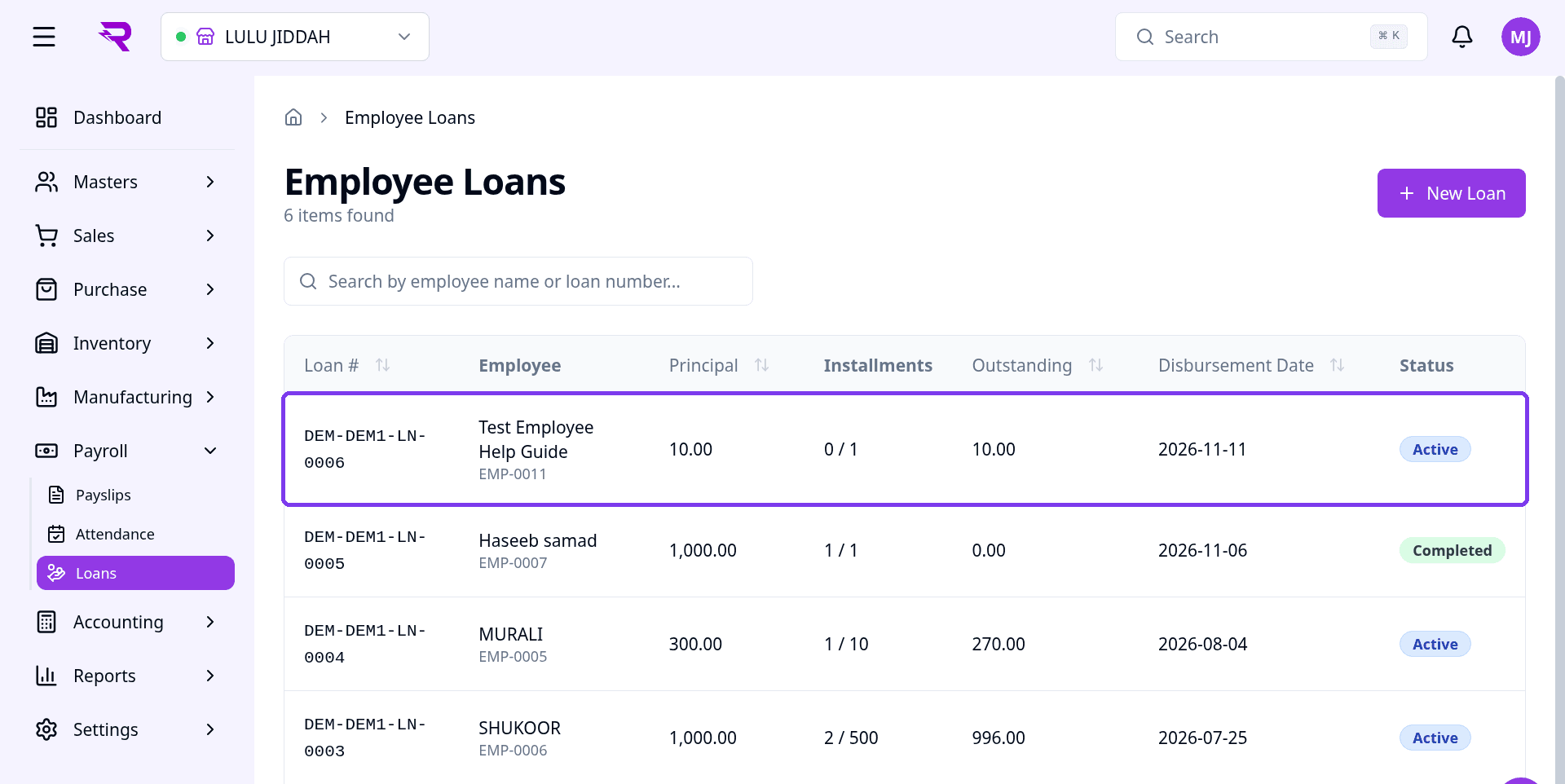
This guide shows you how to provide a loan to an employee in RAAD ERP.
Go to: Payroll > Loans
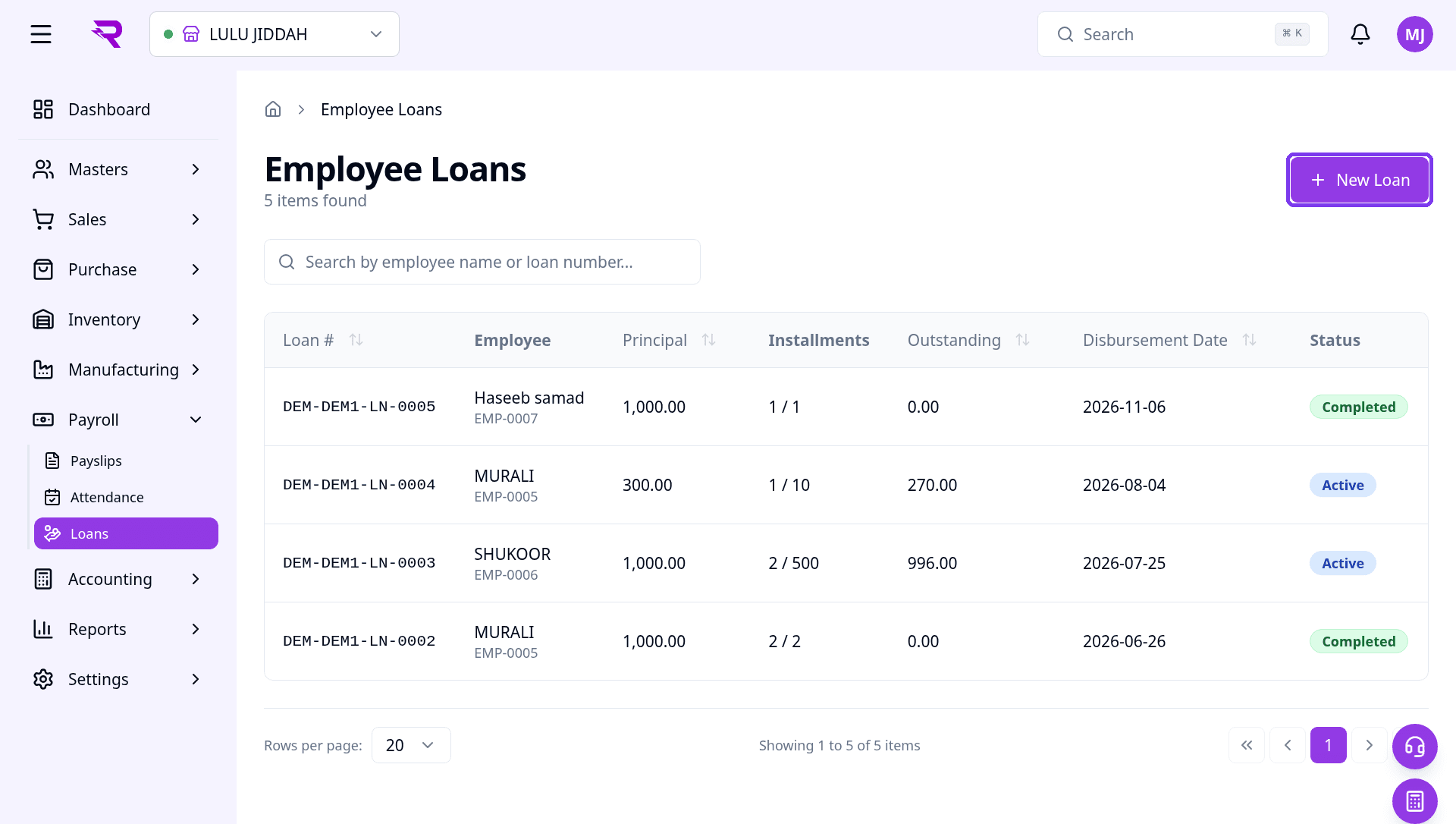
Step 1: Click New Loan
Click New Loan to open the form.
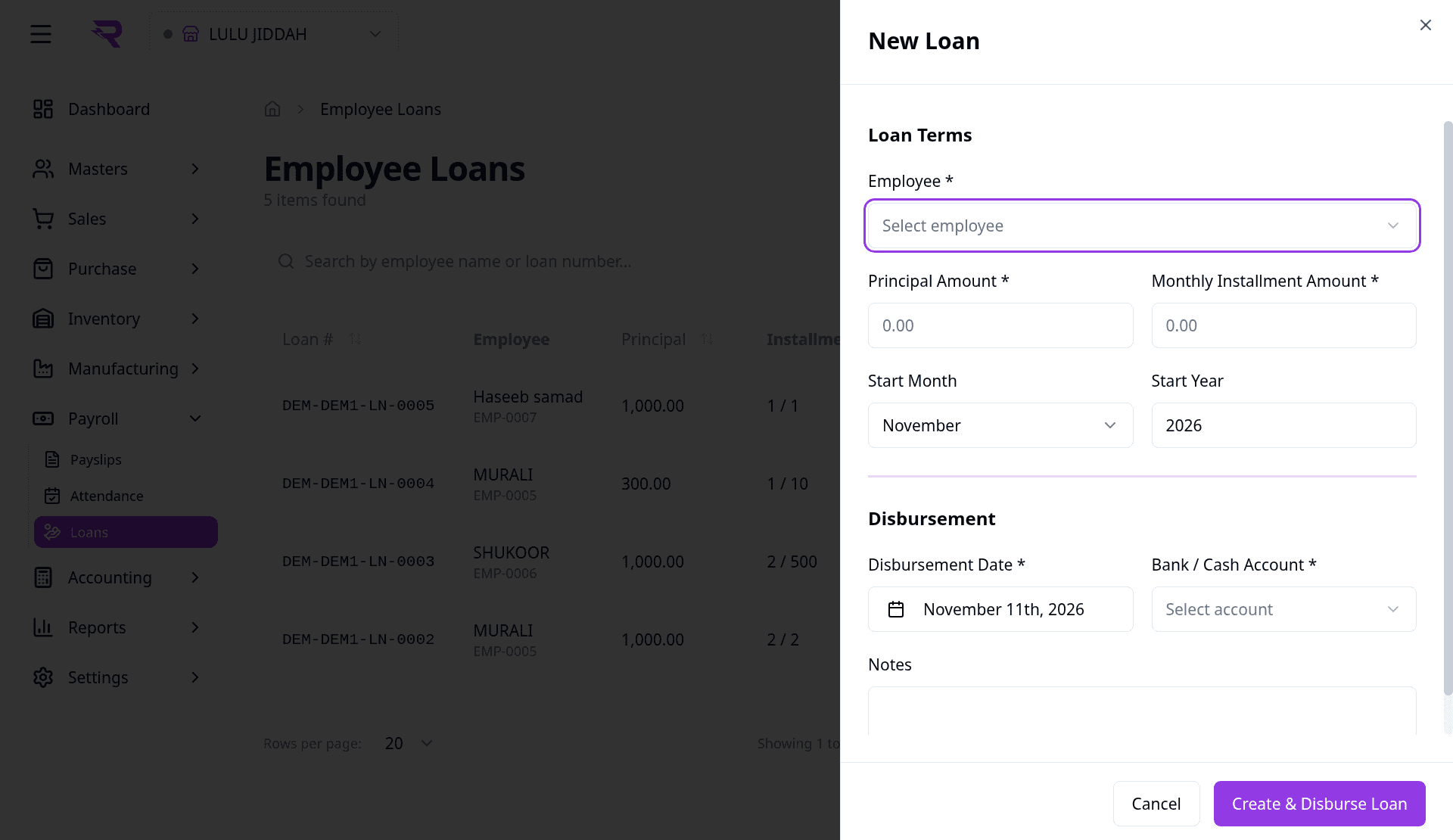
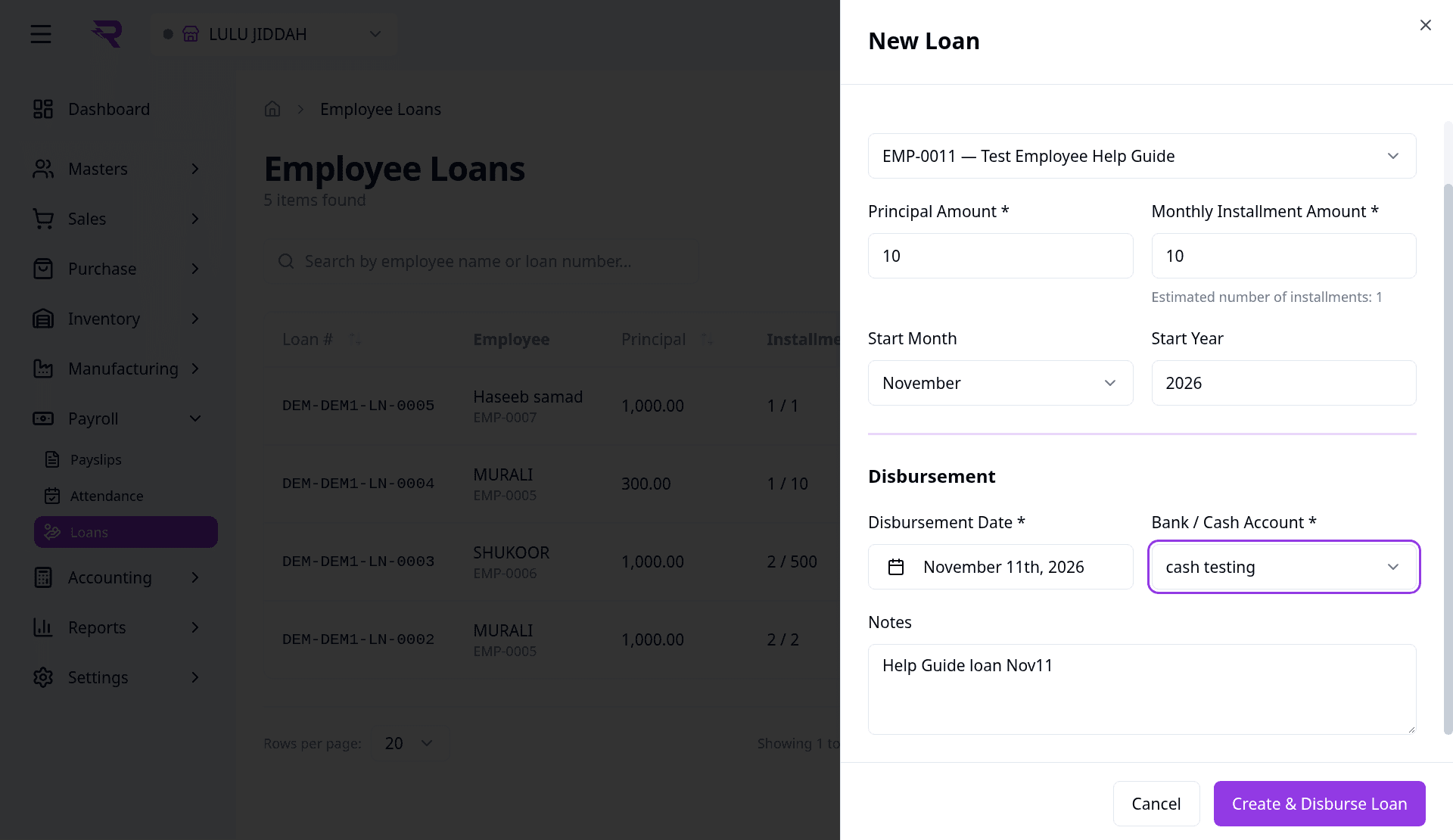
Step 2: Enter the loan details
Employee, Principal Amount, Monthly Installment Amount, Disbursement Date, and Bank/Cash Account are required.
Step 3: Click Create & Disburse Loan
Click Create & Disburse Loan to post the loan immediately. No draft button was shown. A toast confirms “Loan created and disbursed successfully.”
Step 4: Confirm the loan
The loan appears as Active.