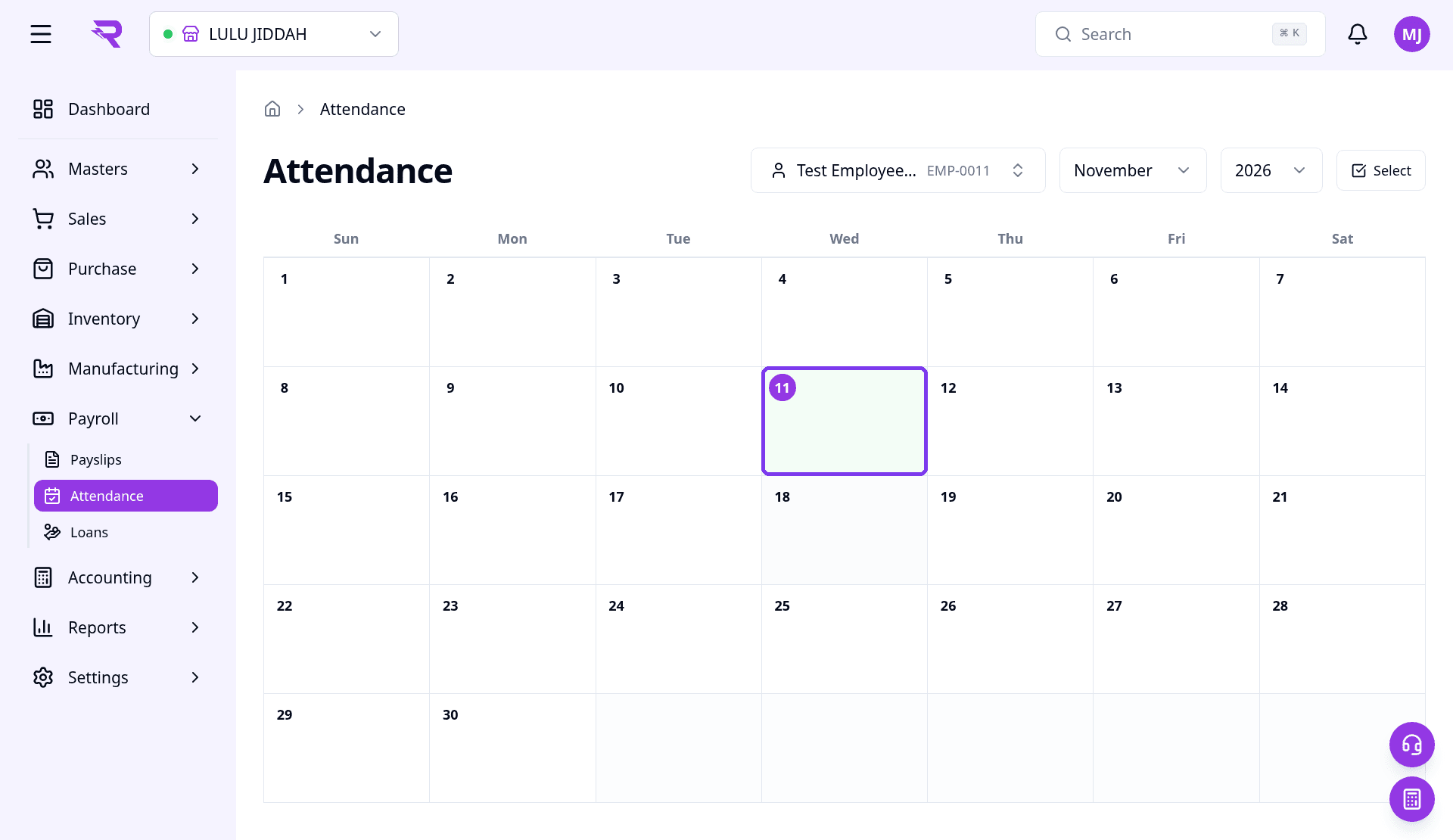
This guide shows you how to mark employee attendance in RAAD ERP.
Go to: Payroll > Attendance
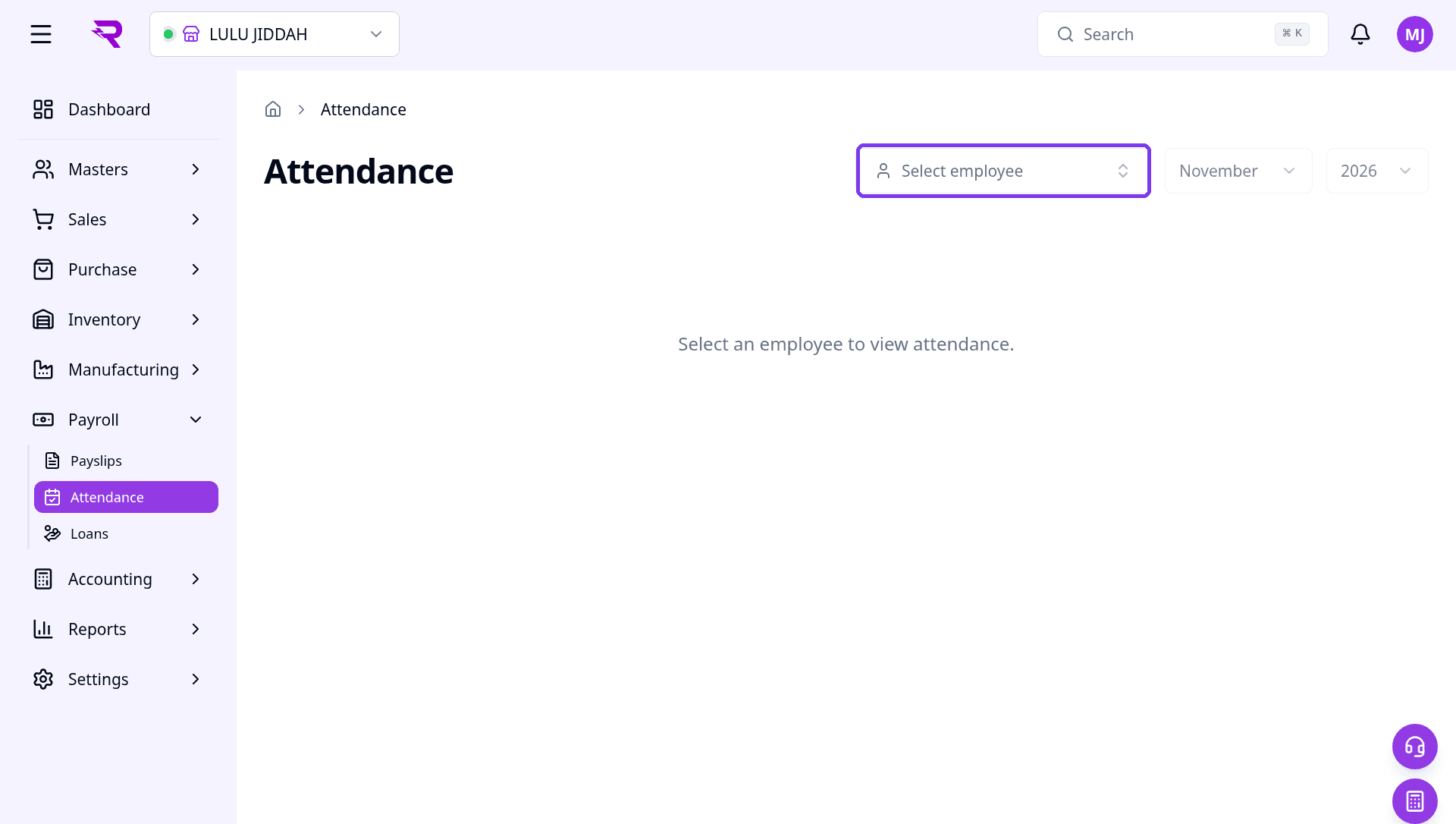
Step 1: Select an employee
Select the employee whose attendance you want to mark.
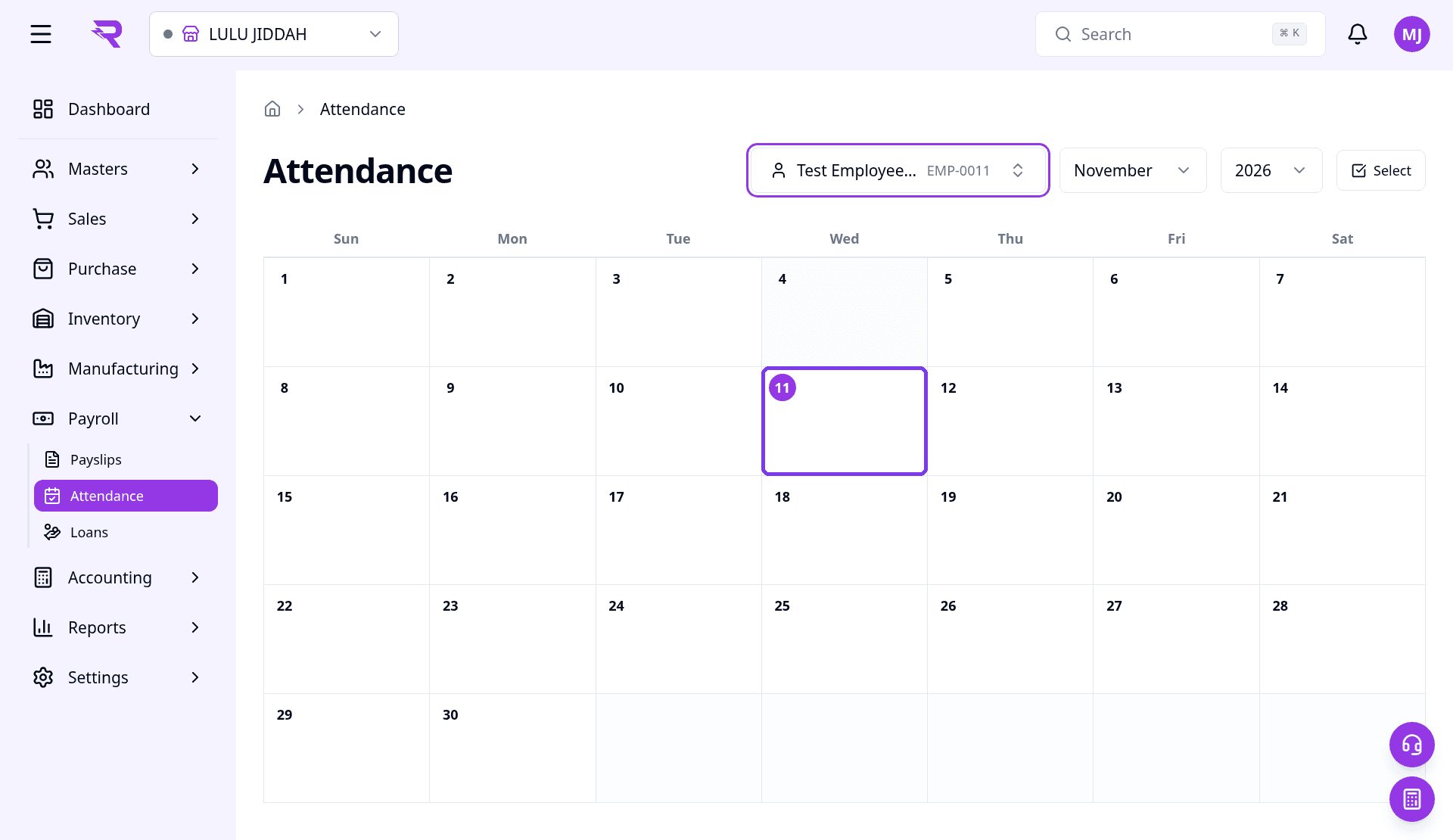
Step 2: Click a day
Click the day on the calendar that you want to mark.
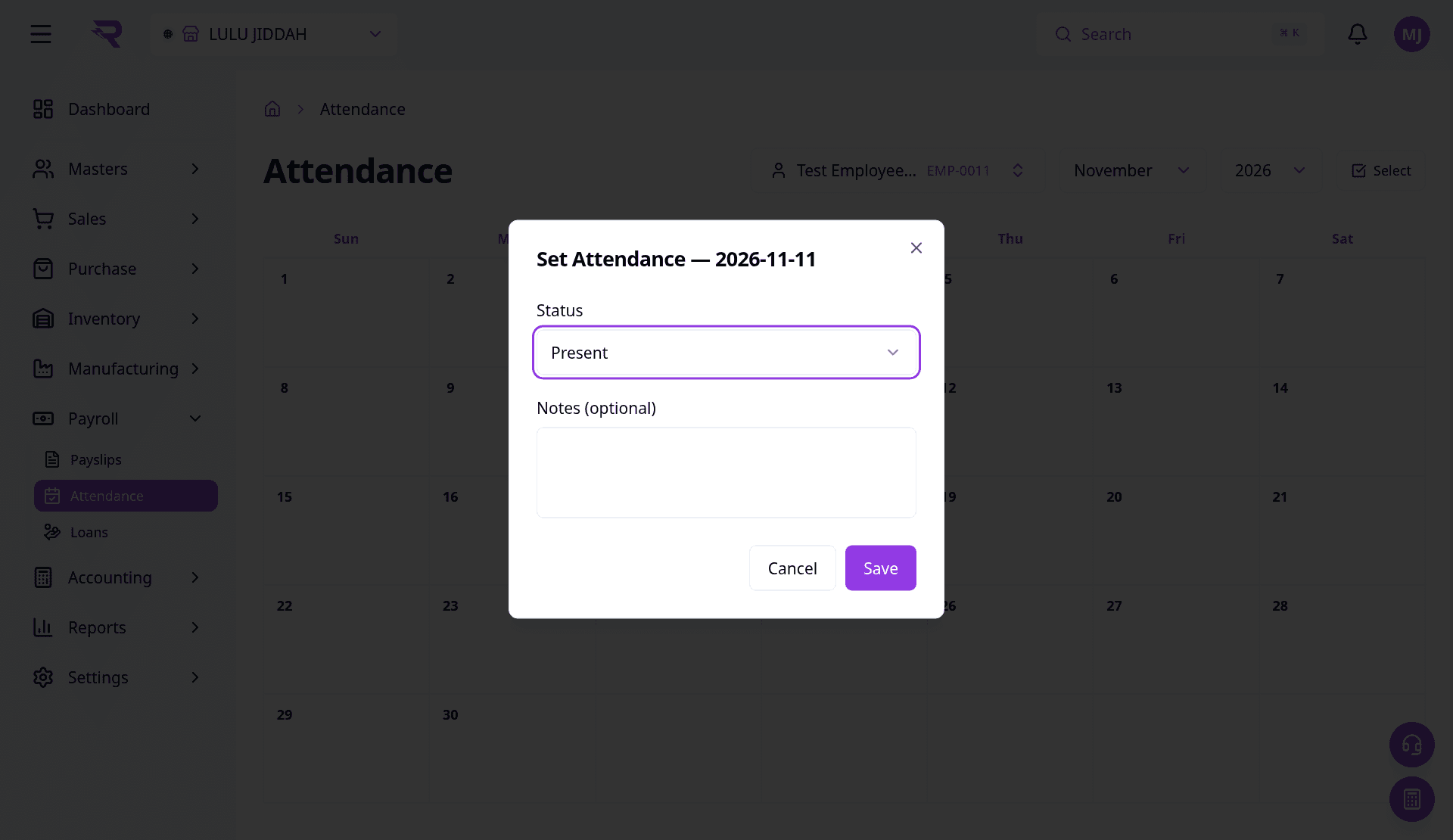
Step 3: Set Status and click Save
Set Status and click Save. Status options are Present, Absent, and Public Holiday. Notes are optional. There is no separate post step.
Step 4: Confirm the day is marked
The day is marked on the calendar.