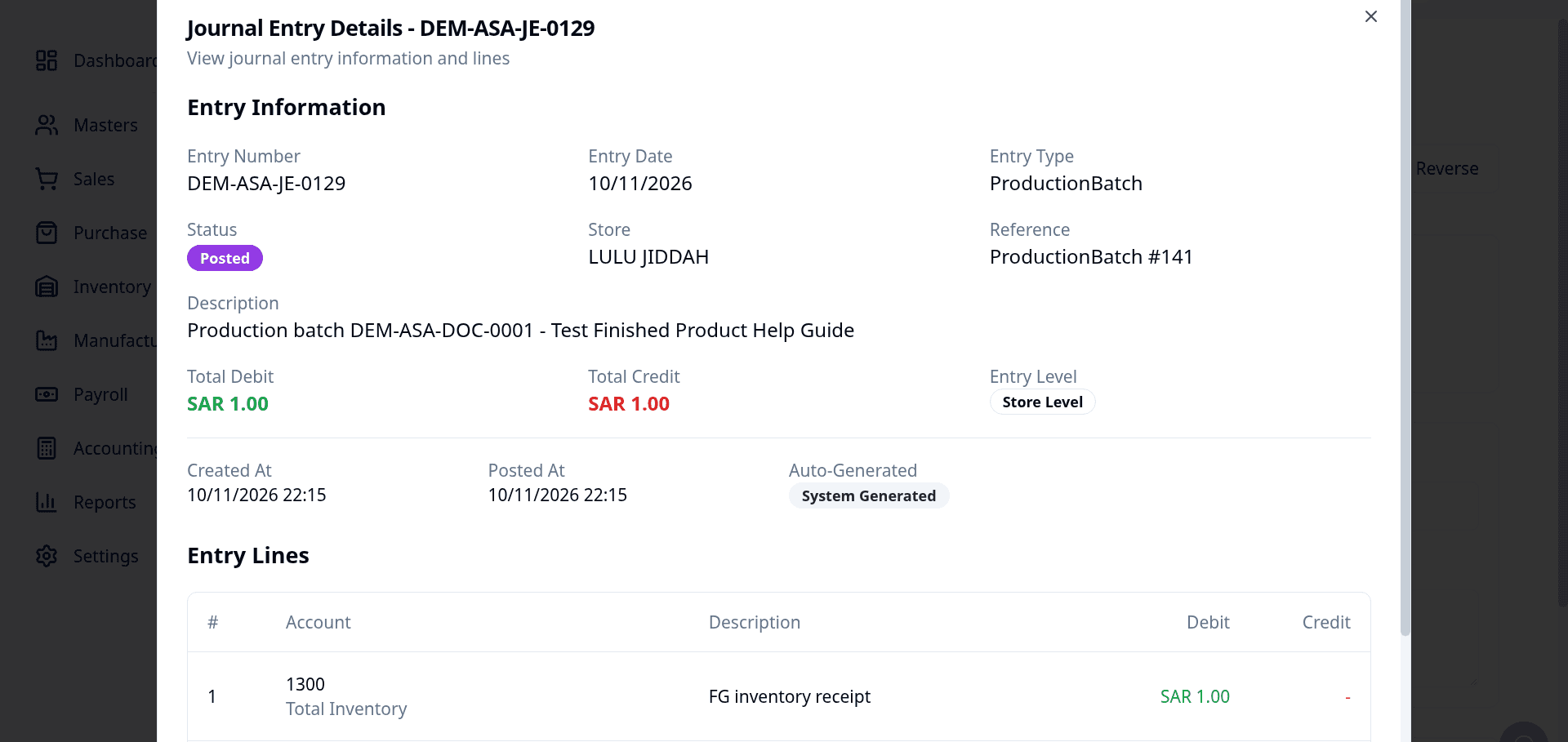
This guide shows you how to review the cost of a completed production batch and open its journal entry.
Before you start
The batch must be completed. To create and complete one, see Creating a Production Batch.
Go to: Manufacturing > Production Batches
Step 1: Open the batch
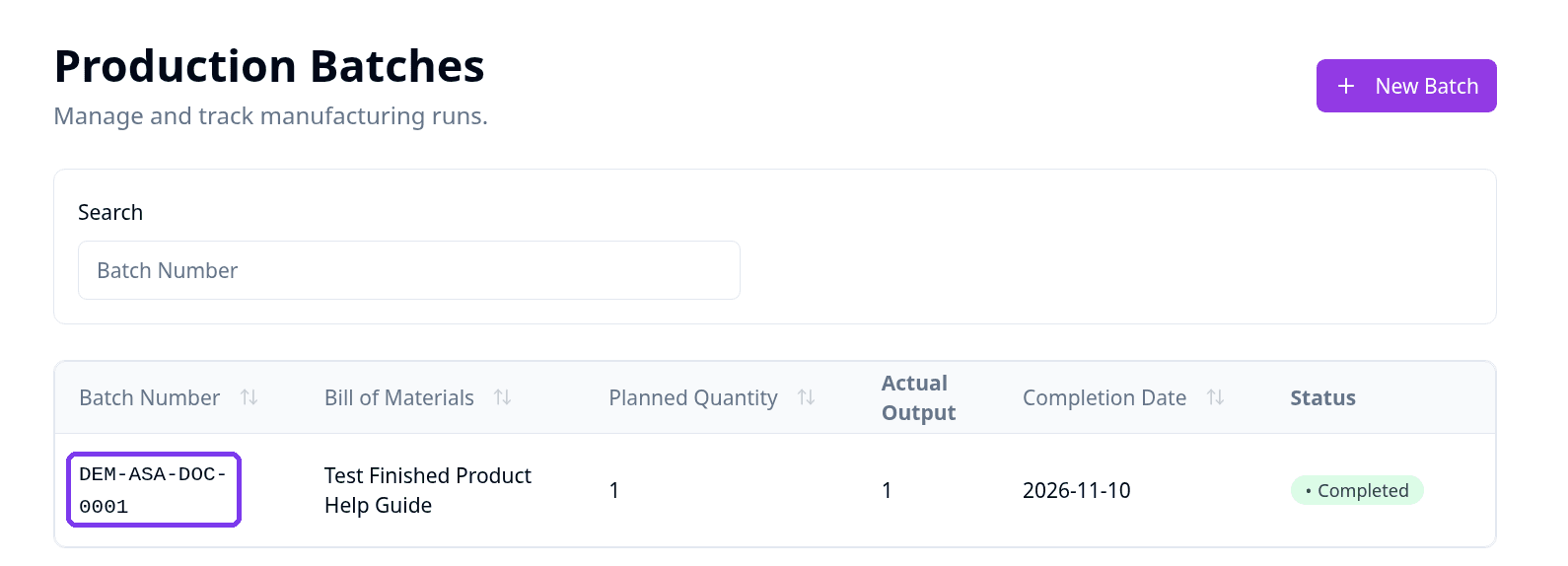
Click the completed batch in the Production Batches list.
Step 2: Review the cost card
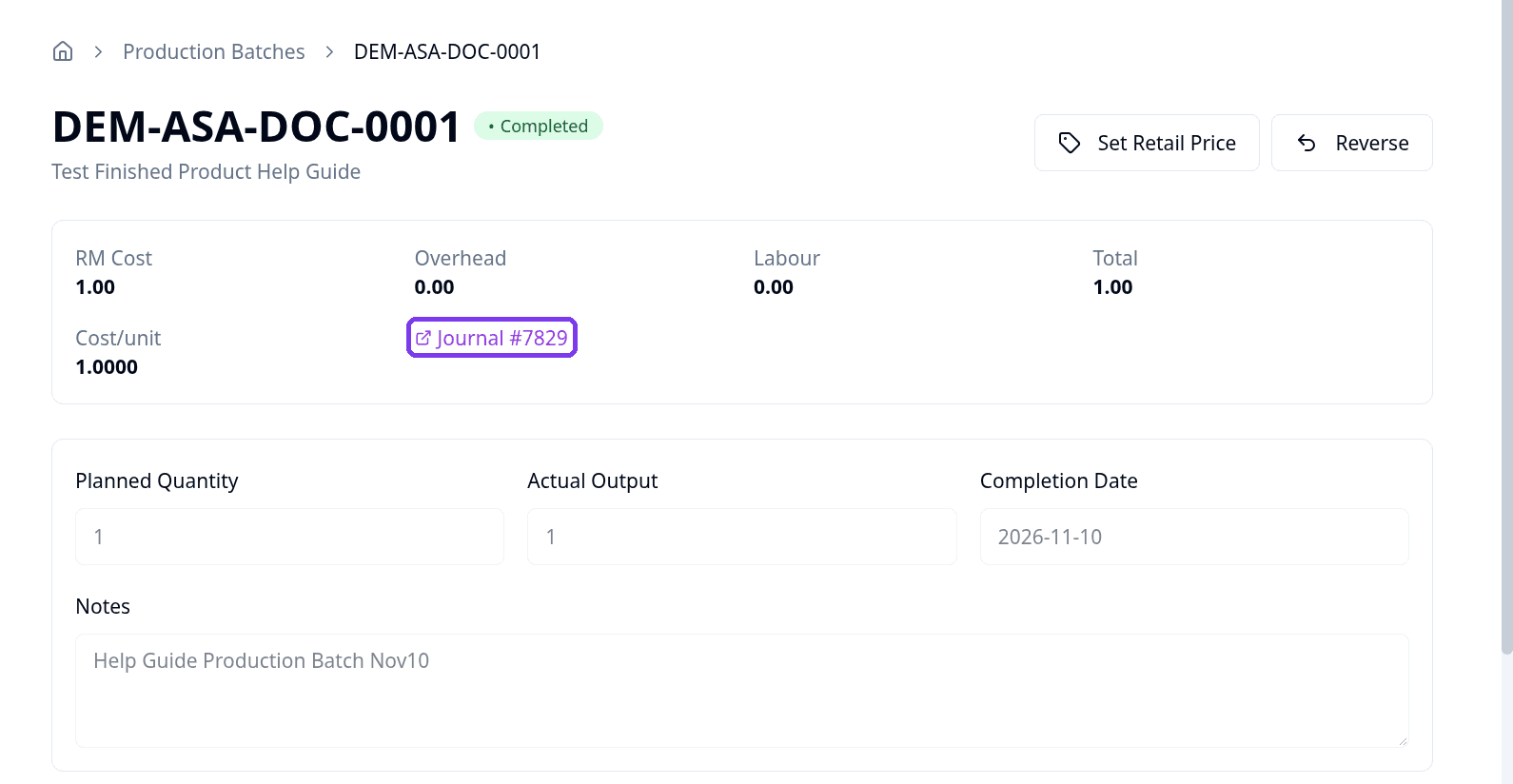
The cost card shows RM Cost, Overhead, Labour, Total and Cost/unit.
Step 3: Open the journal entry
Click the Journal link in the cost card. Journal Entry Details opens with the entry's Reference, Status and debit and credit lines.