This guide shows you how to view document number series in Transaction Numbering. Some series are locked when documents already exist with that format.
Go to: Settings > Transaction Numbering
Step 1: Open a document type
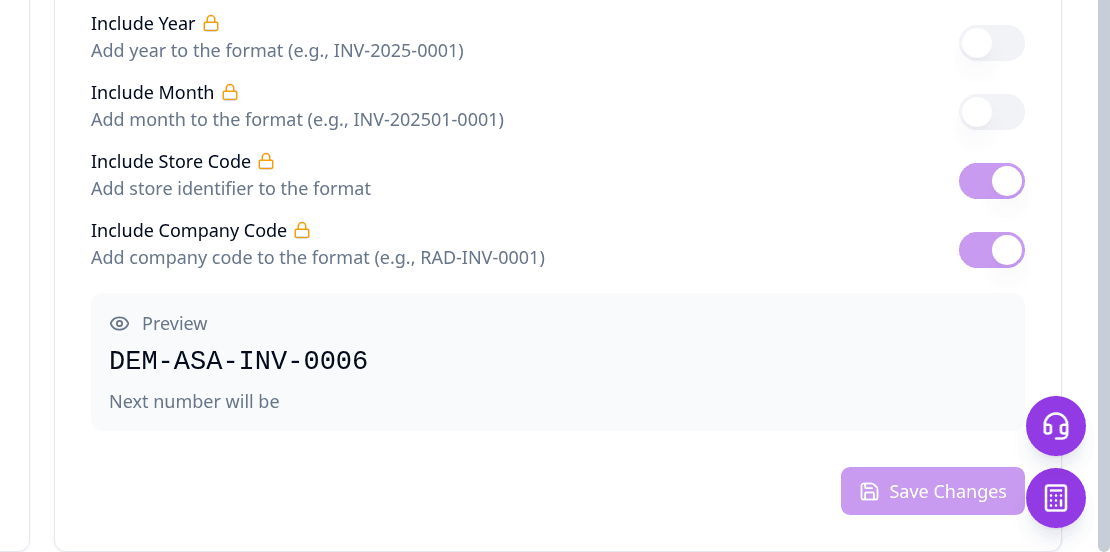
The page has Sales, Purchase, Finance, and Inventory tabs. Under Sales, select a document type such as Tax Invoice (B2B).
On Tax Invoice (B2B), the series is INV, Active, and Locked. A notice explains that some fields are locked because documents already exist with this format. Prefix, Number Length, and Starting Number are locked; Current Number and Reset Frequency are also shown.
Step 2: Review the remaining options and preview
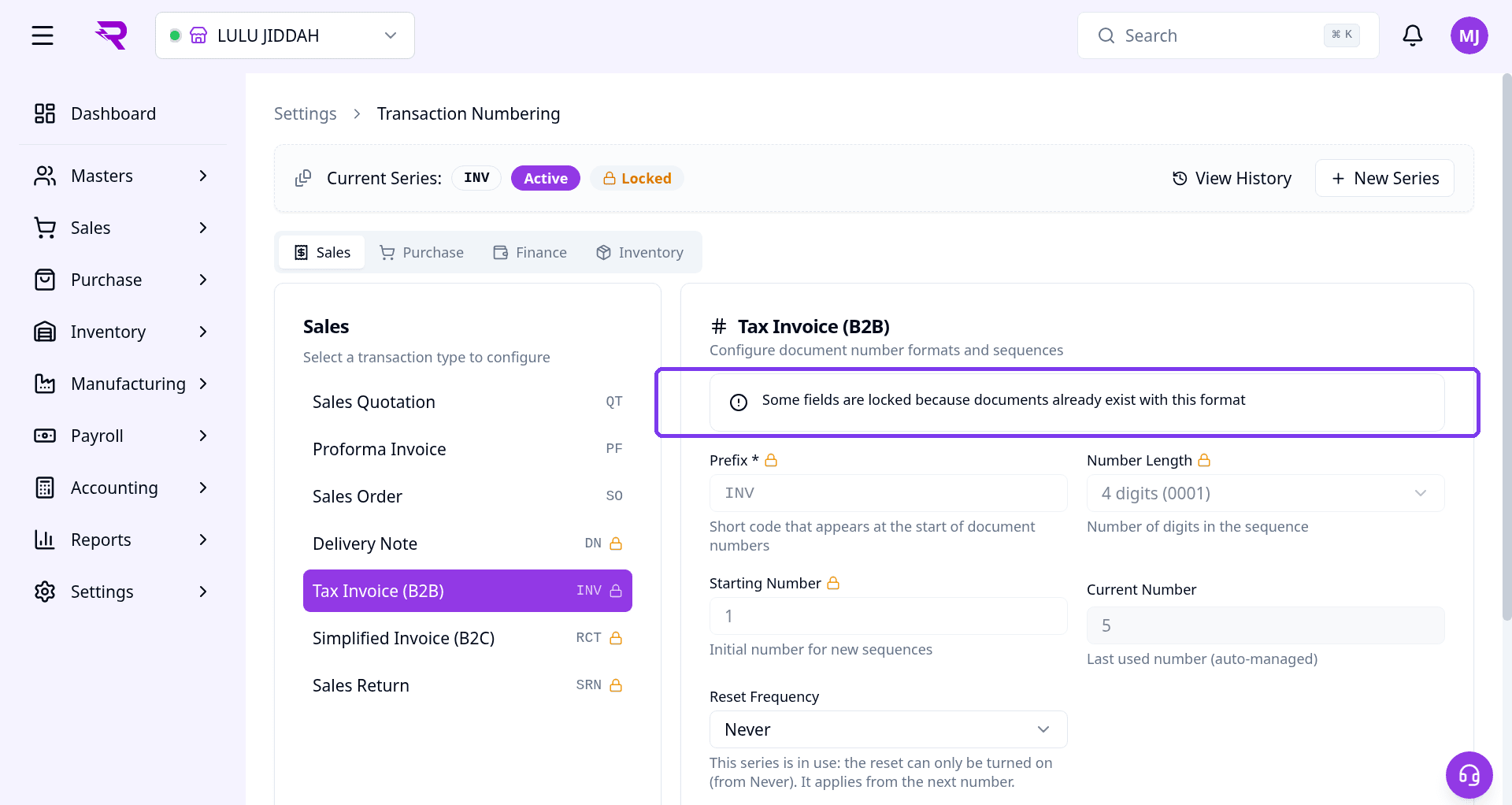
Lower options include Include Year, Include Month, Include Store Code, and Include Company Code. A Preview shows the next number. Save Changes is disabled for this locked series.