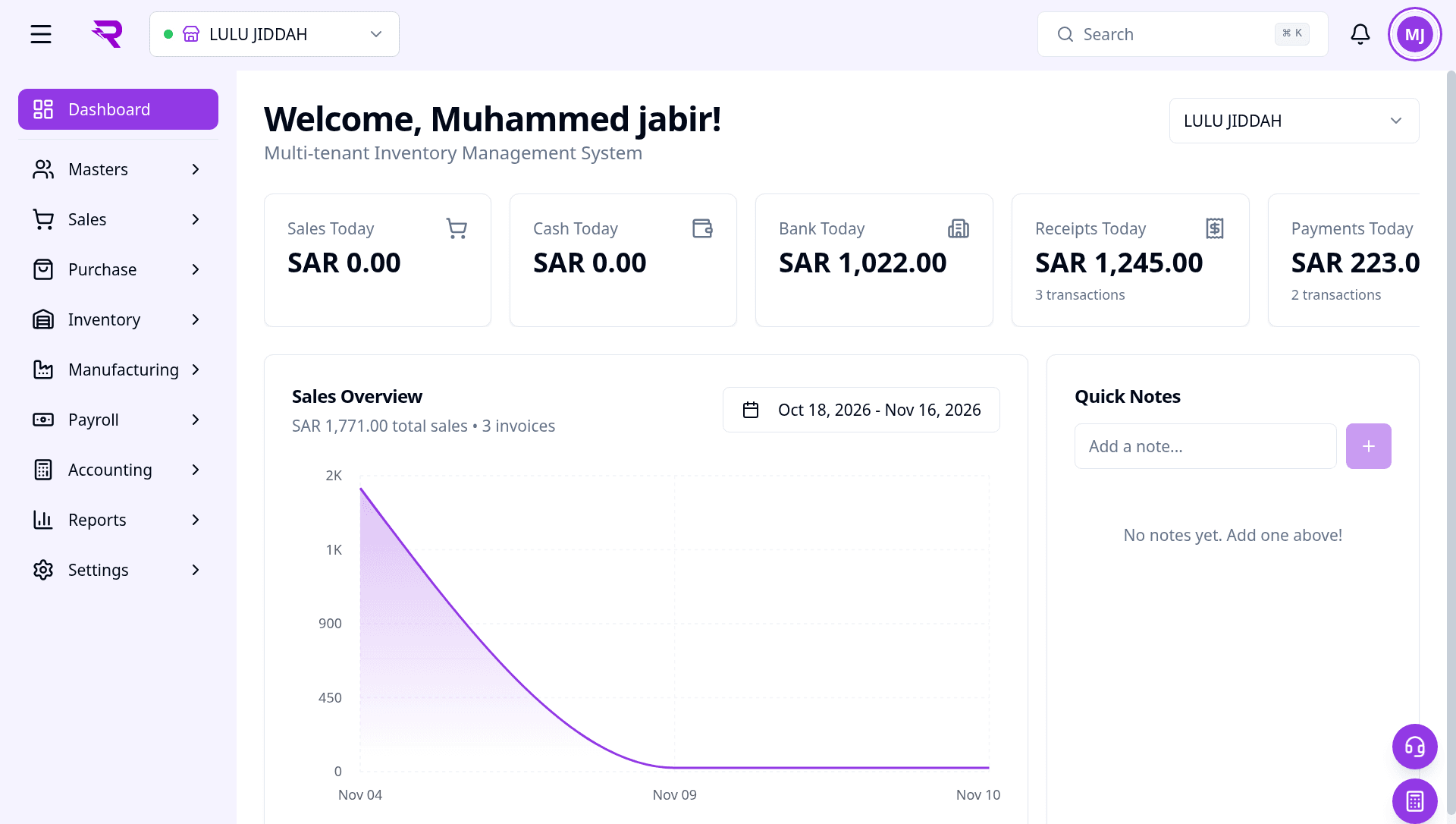
This guide shows you how to switch the RAAD ERP interface between English and Arabic.
Go to: your profile initials in the header > Language
Step 1: Open the profile menu
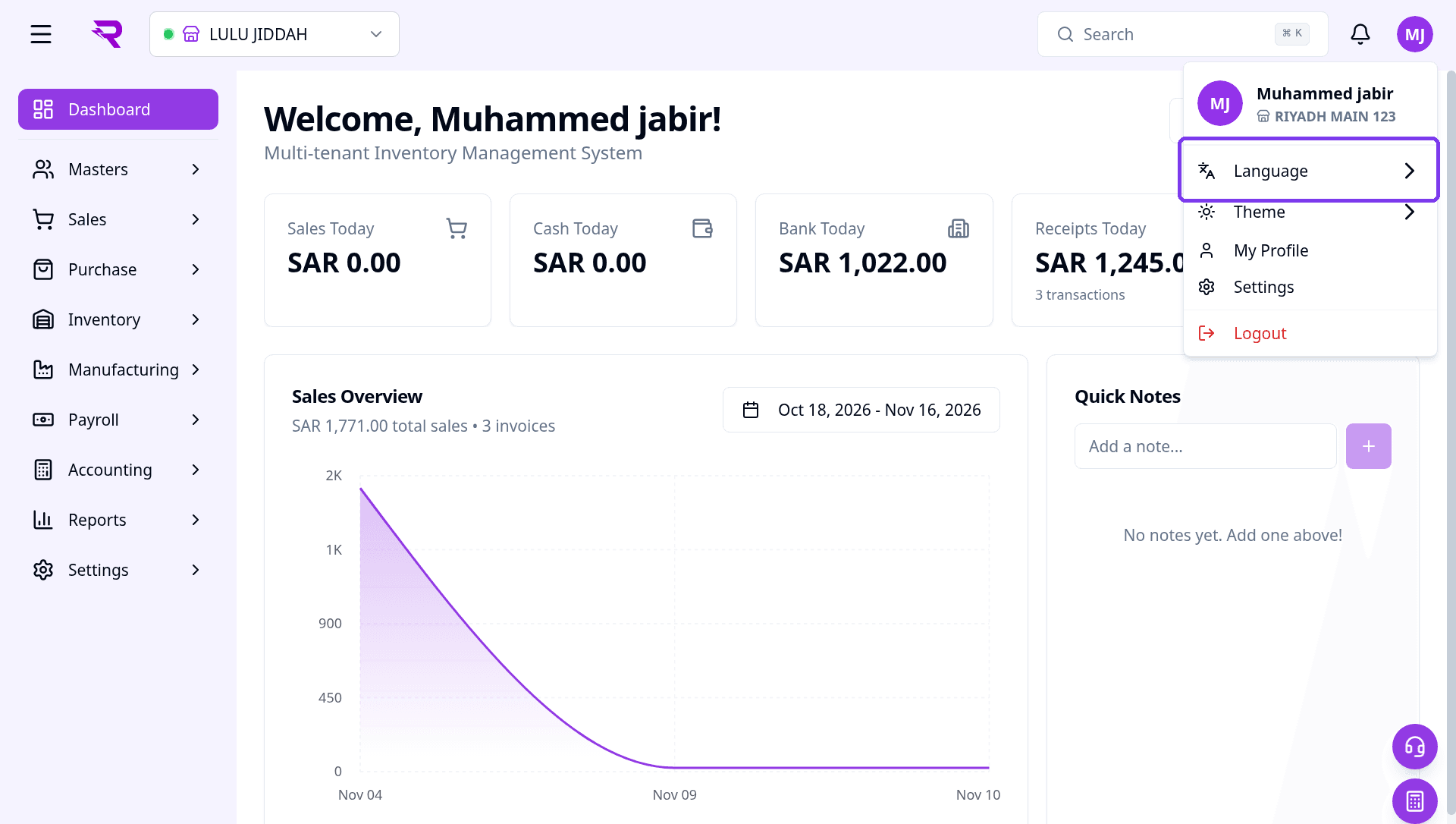
Click your initials in the header. The menu includes Language.
Step 2: Choose Arabic or English
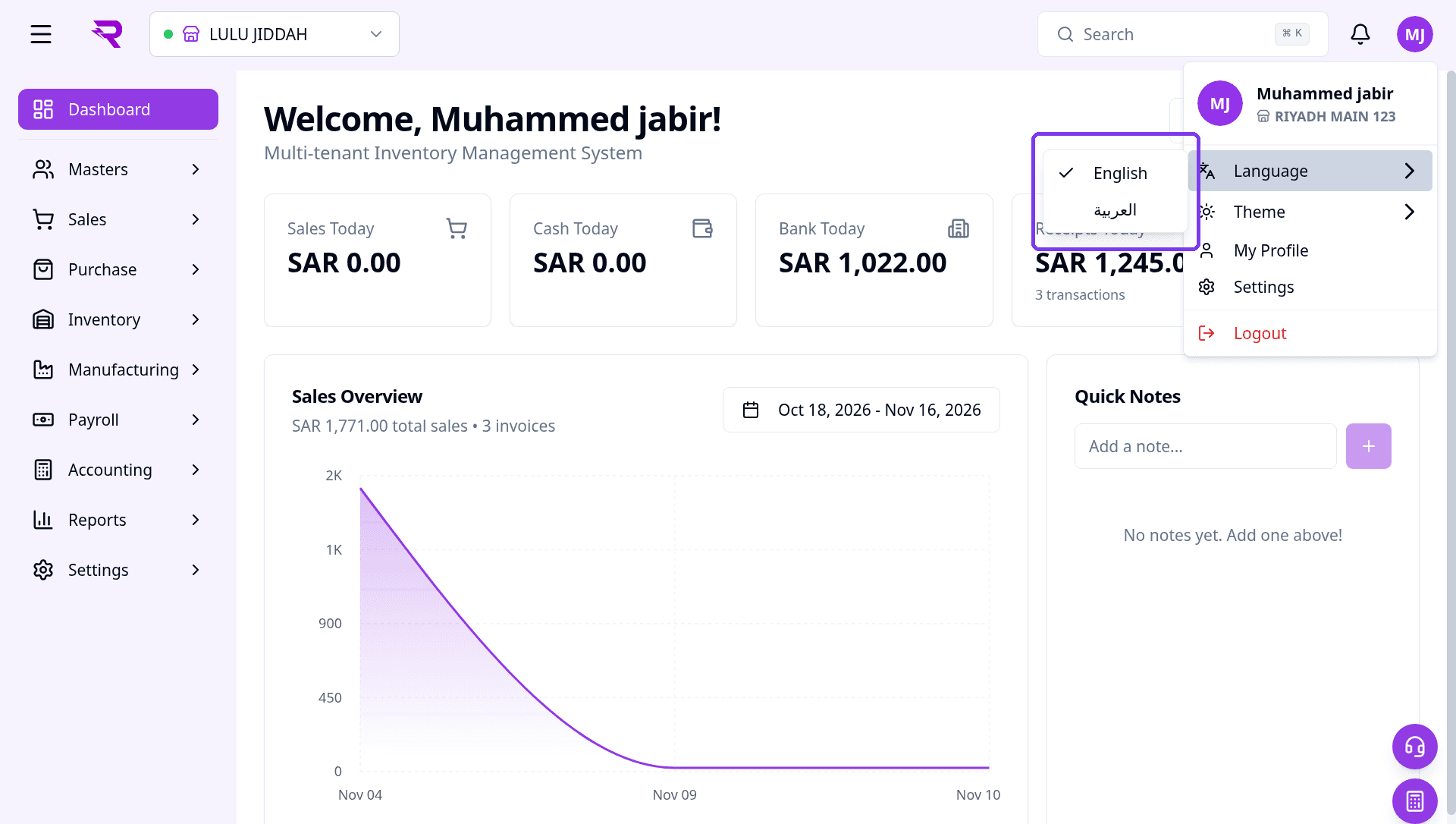
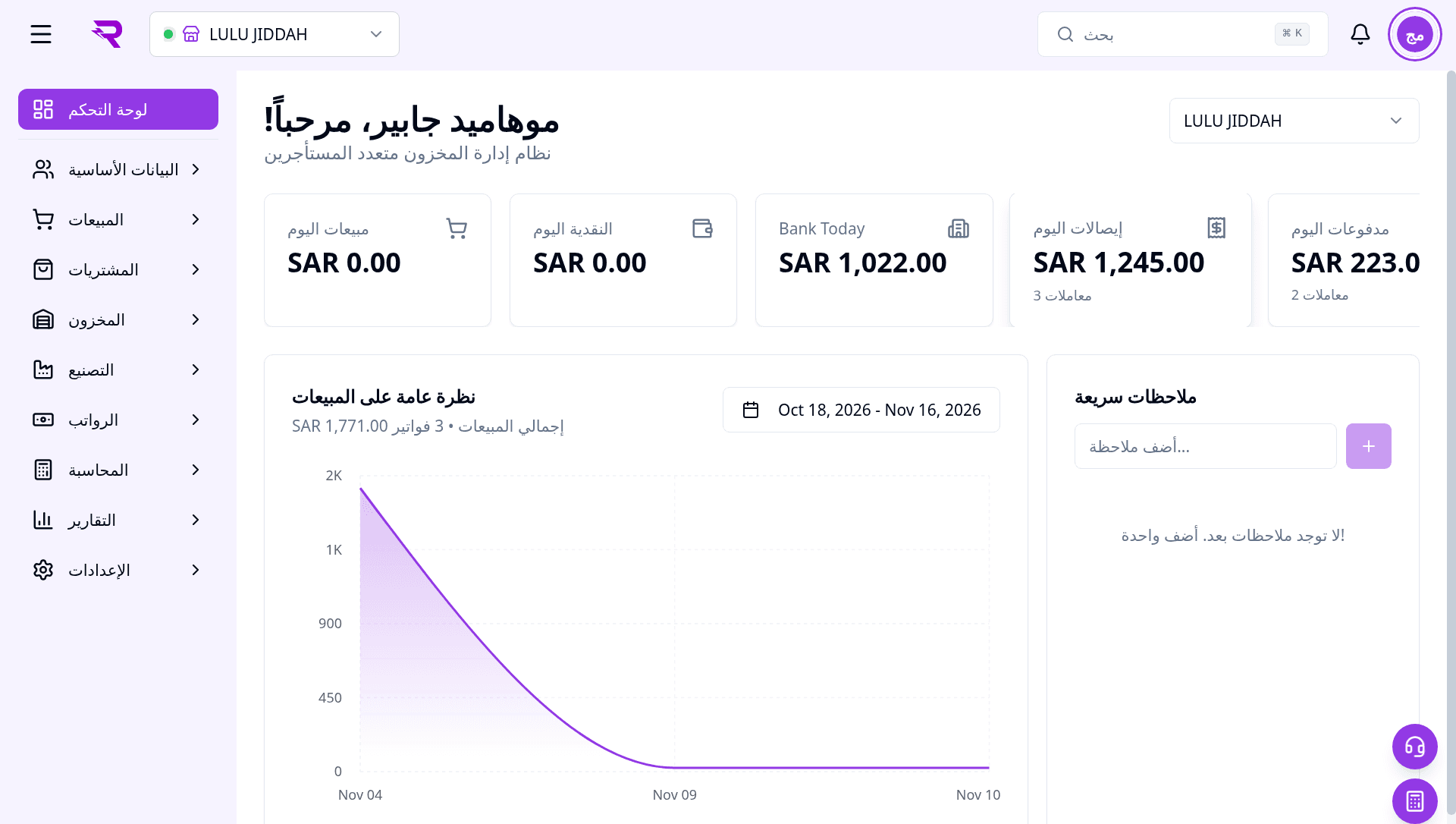
Open Language. The choices are English and العربية. Select العربية to switch the navigation and most dashboard text to Arabic.
Step 3: Switch back to English
Click your initials again, open Language (it is labelled اللغة when the interface is in Arabic), and select English. The English interface is restored.